Beta 0.6.0 update
Oct 29, 2025
Hello, this is Team Manyfast.
With the official launch approaching, Manyfast has been newly updated.
We have completely revamped the structure and functionality to allow for faster planning with AI and more intuitive design.
✨ You can easily create drafts with AI.
Now, when you create a document, you can upload reference files such as basic information about the product or project, meeting notes, or request for proposals, and AI will generate a accurate and high-quality draft based on richer data. From a single line of ideas to detailed documents, you can start planning much faster with AI.

🧩 The terminology and structure have been revamped.
The terminology and hierarchical structure of overall planning documents have been reorganized.
(Old) Feature Map -> Functional Specification (FS) :
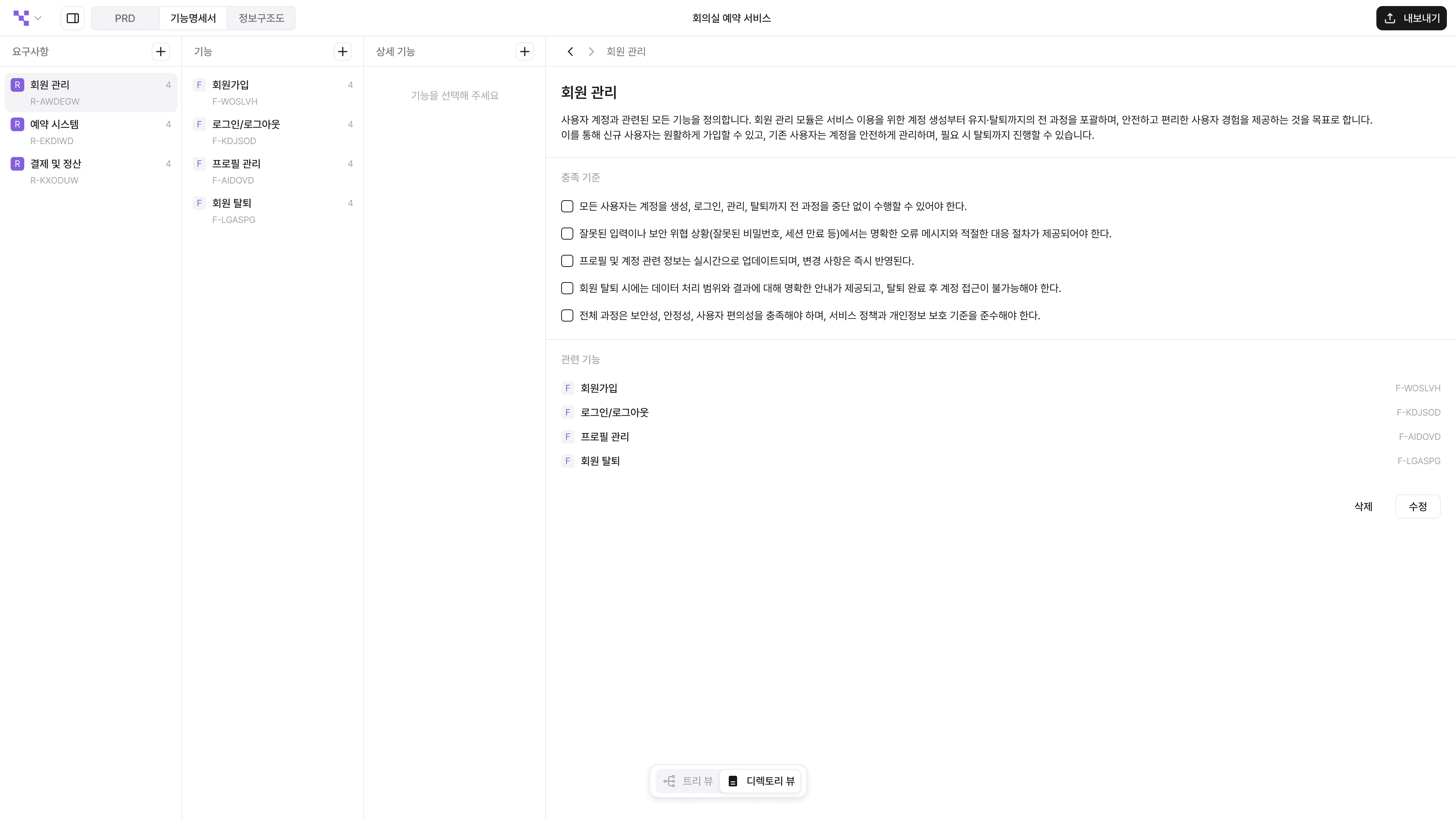
The Functional Specification (FS) is a document that specifies the actual functional structure of the product. It breaks down into a three-step process: Requirements → Features → Specifications, designing how the product operates, laying the groundwork for the subsequent menu design leading to the Information Architecture (IA). It offers two views, where the Tree View shows the overall flow, and the Directory View allows for managing detailed descriptions.
(Old) Page Map -> Information Architecture (IA) :
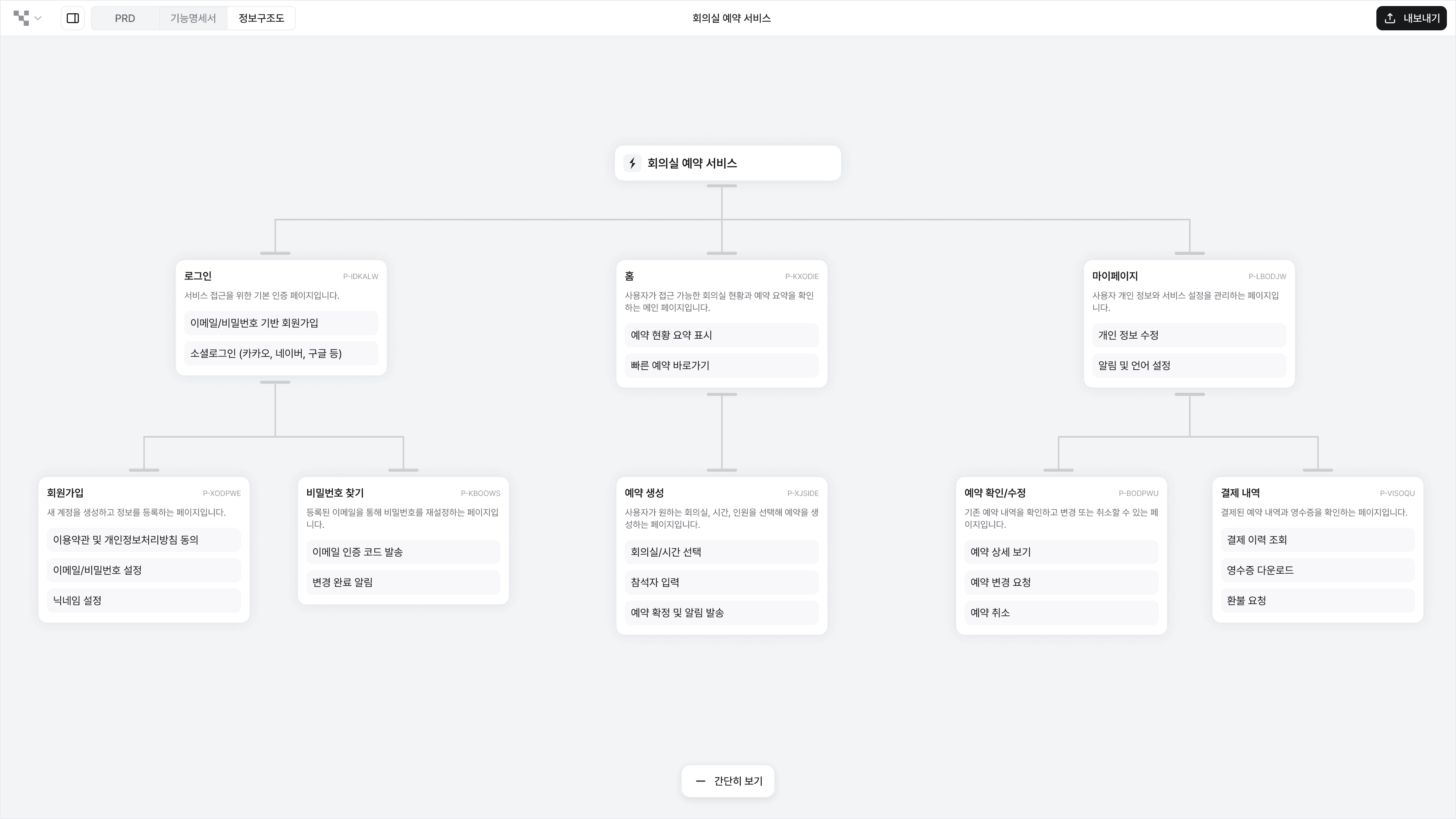
The Information Architecture (IA) is a document that hierarchically organizes and visualizes menus within the service. Each menu can link detailed functions defined in the Functional Specification, designing the path that users will actually take to navigate the service.
Guide to Deleting Existing Items
Deletion of Content
: Content, which received feedback for being somewhat ambiguous, has been removed, and instead, the connectivity between the information architecture and functionality has been strengthened.Deletion of CRUD elements (Create/Update/Delete/Retrieve) in the Feature Map
: In its place, a 'Specification' item has been added that further segments functions, allowing each item to have settings for acceptance criteria, roles, importance, and other detailed attributes.
🗂️ A Directory View has been added.
Now you can manage the Functional Specification in a document-style Directory View. You can quickly find the necessary information like in a file explorer, and easily modify it on a wide screen. By clicking the nodes in the Tree View while holding the Shift key, you can open them directly in the Directory View, and any modifications made by dragging and dropping in the Directory View will automatically reflect the relationships in the Tree View. The two views are linked in real-time, so there is no need to manage documentation and visualization separately.
🌳 The Page Map has been changed to Information Architecture.
The existing Page Map has been newly revamped into Information Architecture (IA). It visualizes the product's navigation paths in a menu-centered tree structure and allows you to set up and down handles to establish hierarchical relationships (Depth). Additionally, you can connect detailed functions from the Functional Specification to each menu, enabling much more organic planning within a single workspace!
📤 More formats for export are now possible.
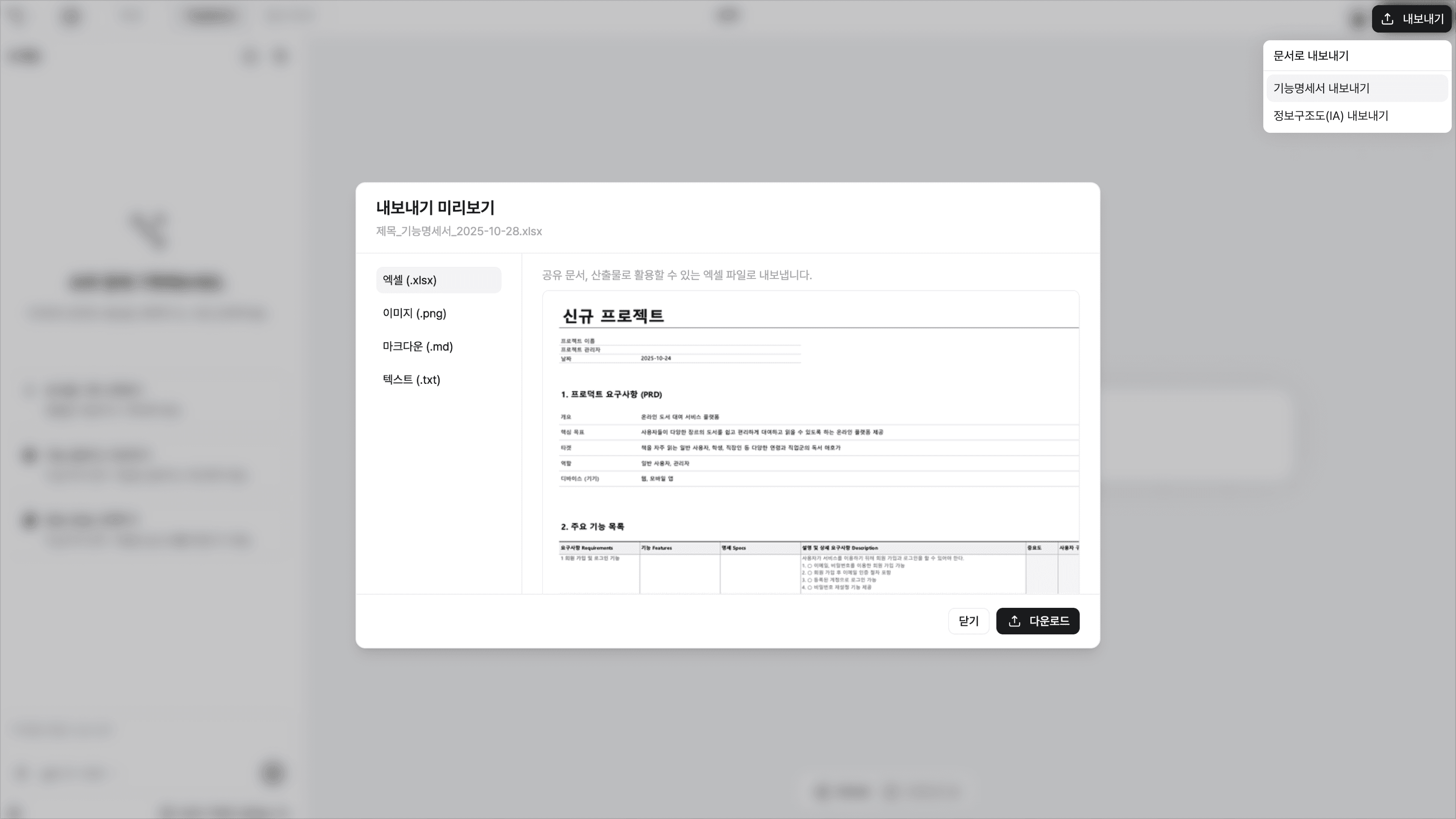
The Functional Specifications and Information Architecture can be exported in a total of four formats: Excel (.xlsx), image (.png), markdown (.md), text (.txt) . You can utilize these in various situations such as meeting reports, development documents, and collaboration tool integrations, and the graph images within the product can be extracted directly for easy use as visual materials or shareable outputs.
This update is a major structural overhaul version ahead of the official launch, and it may not be fully compatible with existing data. We have tried to preserve existing information as much as possible, but some items may have different displays or connections as they are transferred to the new structure. Thank you for your understanding.
Thanks to the user experience and feedback you provided, Manyfast has been able to grow with this version.
We look forward to your continued opinions and suggestions so we can continue to evolve in a better direction!
Back to list
