Beta 0.7.4 patch
Dec 17, 2025
✏️ Creating and editing has become easier.
By clicking the 'Generate All with AI' button in the title node of the specification document, you can complete the entire document at once. By clicking the '+' button, which is always displayed on the right side of the item, you can immediately select your desired method between 'Generate with AI' and 'Add Manually'.
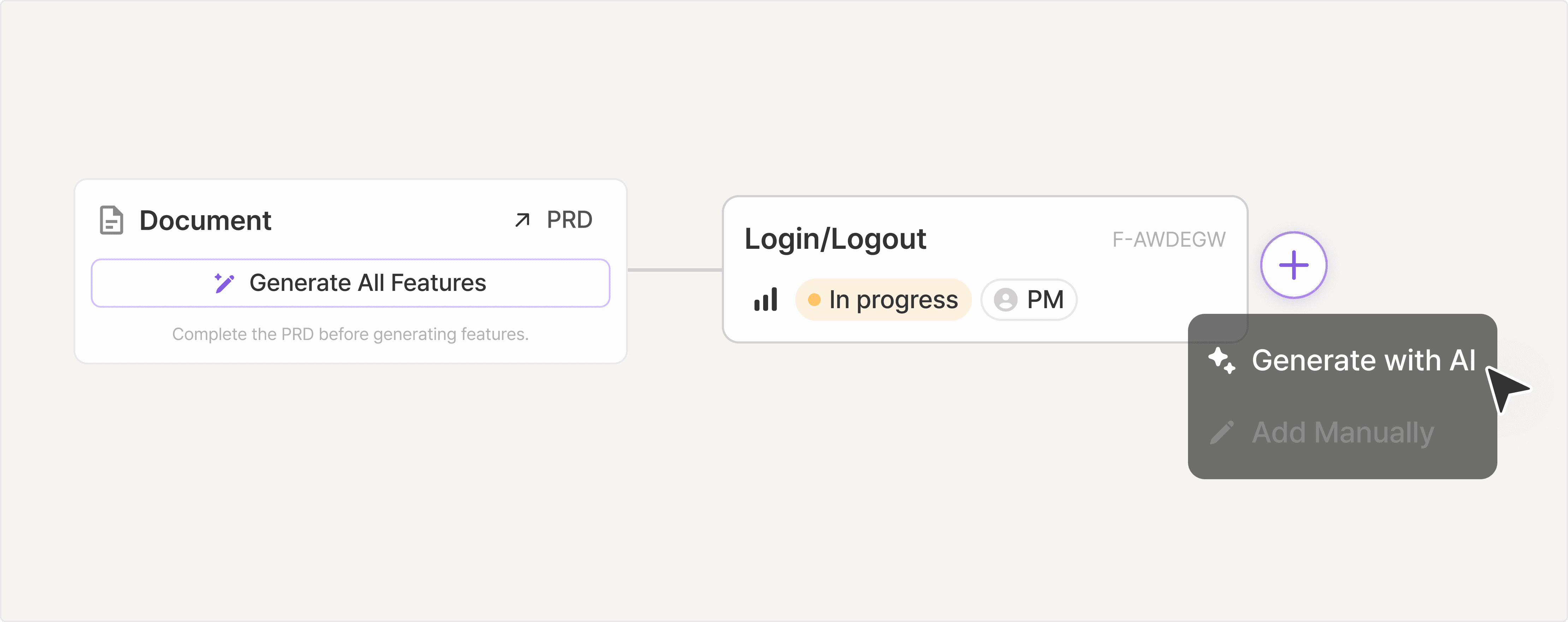
For the completeness of individual functions, we recommend individual generation over collective generation.
🛠️ You can add 'Specifications' directly in the information architecture.
Previously, only items defined in the specification document could be used in the information architecture diagram, but improvements have been made for convenience.
Items added in the information architecture diagram are generated in an undefined state for requirements and features.
Additional definitions are required later in the specification document.
It will be added under 'Item Inventory' at the bottom of the specification document > Directory View.
You can place it under the desired features using drag and drop.
Other Modifications
The position of the toggle button to switch between Directory View / Tree View has been changed.
A virtual item that indicates when the sub-content is empty in the specification document has been added.
The OpenAI model has been upgraded from GPT-5 to GPT-5.2, providing even more refined responses.
Anthropic's Claude-opus-4-5 is now available in the PRO Plan.
Your feedback greatly contributes to the improvement of the manyfast.
We look forward to hearing more of your opinions!
Back to list
