베타 0.7.7 패치
Jan 13, 2026
Hello, this is Team Manifest. We greet you with the first news of 2026 in the third week of January.
This patch includes features added for usability improvements.
We have improved it so that even more rich and complex plans can be worked on smoothly in Manifest.
🔍 You can search for items.
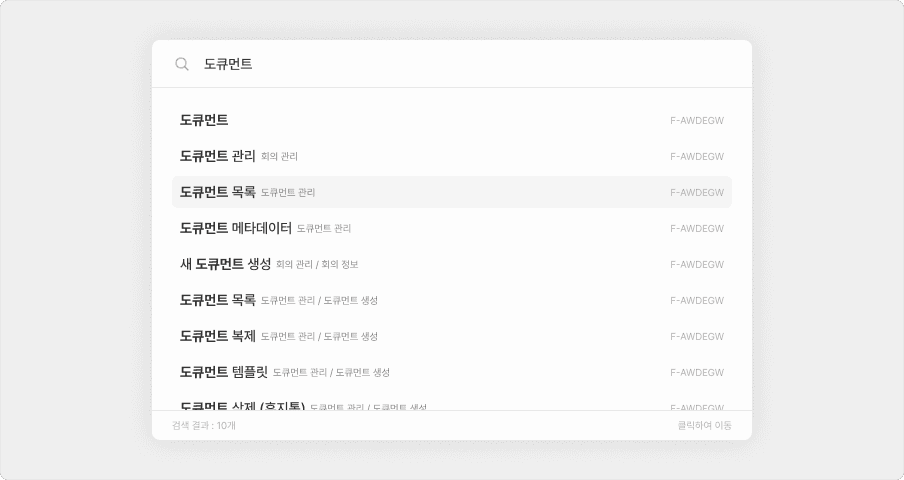
Have you ever struggled to find out where an item is?
Now, you can easily find it with the item search feature.
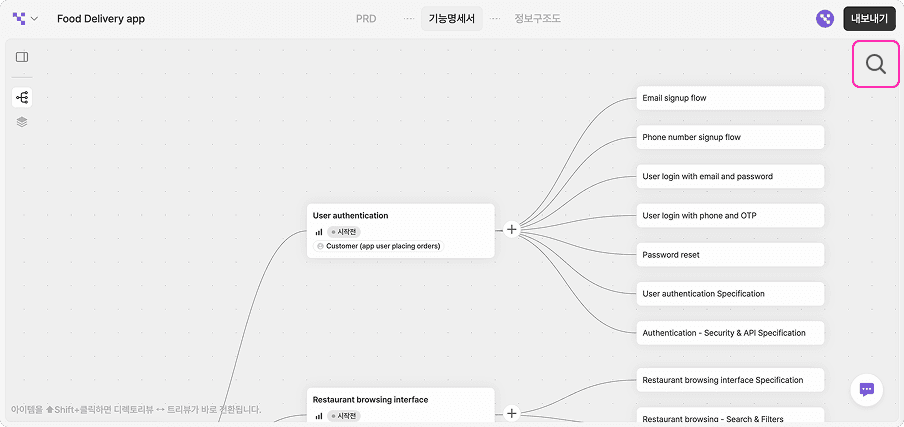
The search function can be executed by clicking the magnifying glass button in the top right corner of the screen or by using the Ctrl+F (Cmd+F) shortcut.
*Function specifications and information structures are searched separately.
🔢 You can easily find items with numbering.
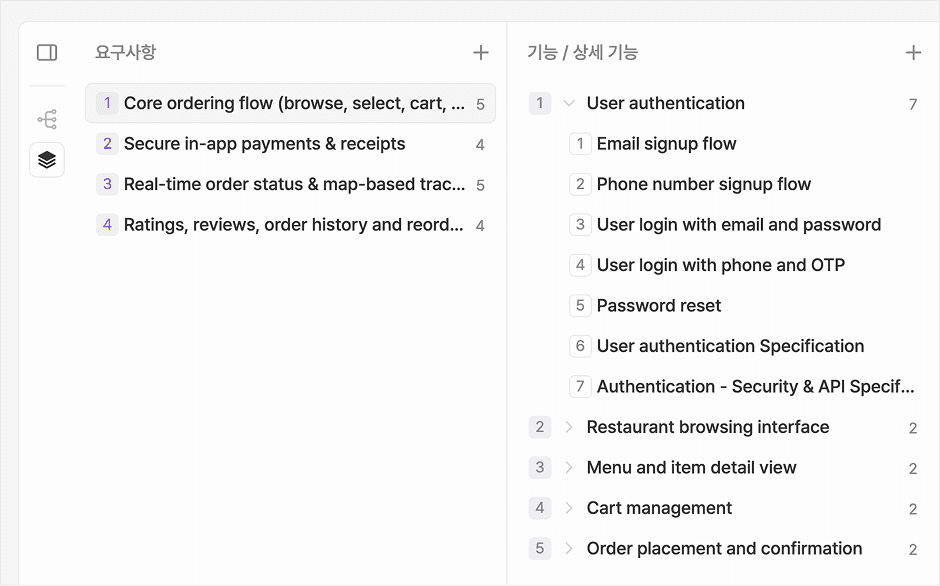
We added numbering in front of items to solve the problem of it being difficult to refer to items.
Now you can refer to it clearly, like 'the product registration function of 2.3.5'.
It will make communication with your team members much easier.
*The sequence does not maintain uniqueness and appears in the order displayed. If the order changes, it will change according to the display order.
↗️ Direct links to items are supported in AI chat responses.
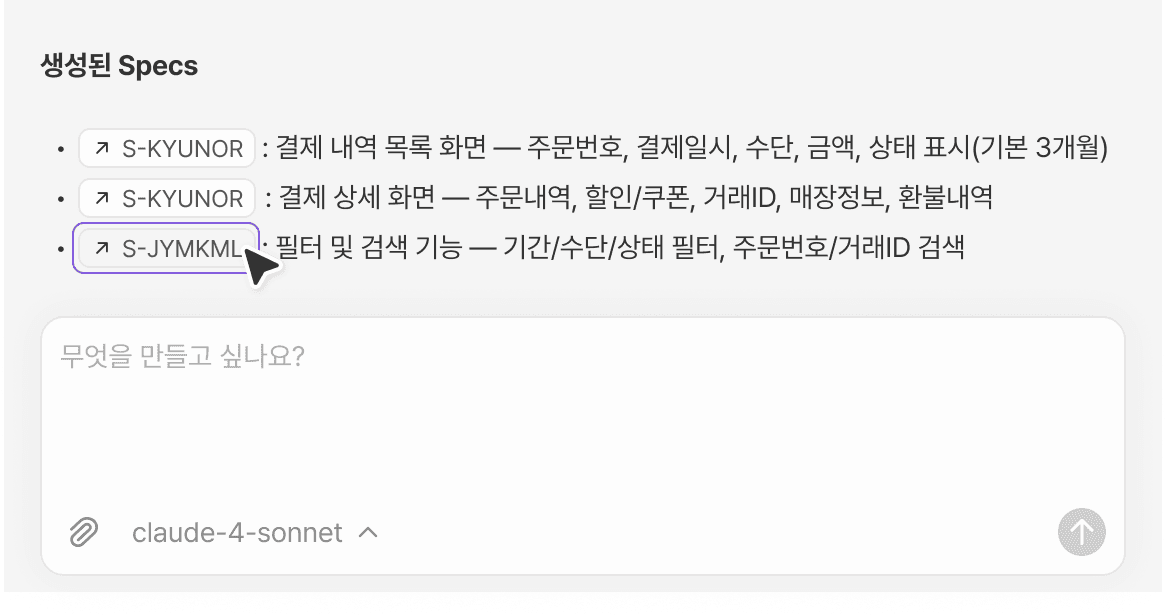
Now, when you click on the item (ID button) displayed in the AI response, you can move directly to that location.
You can receive the AI's response and immediately take action, making your workflow much smoother.
Other changes
We have improved the small input field for descriptions that was inconvenient, making it automatically expand according to the content.
Some keyboard operation features have been added.
You can delete items in the tree view using the Delete button.
You can duplicate items in the tree view using the Ctrl+D (Cmd+D) shortcut.
You can move the selection using the arrow keys.
Some expressions used in the English version have been changed.
Your feedback is a great help in improving Manifest.
Please continue to provide us with your opinions!
Back to list
