AI Product Planning and the Details a First Draft Misses
An AI draft can describe the idea without settling how it should work. Check feature rules, exceptions, user flows, and screens before handoff.
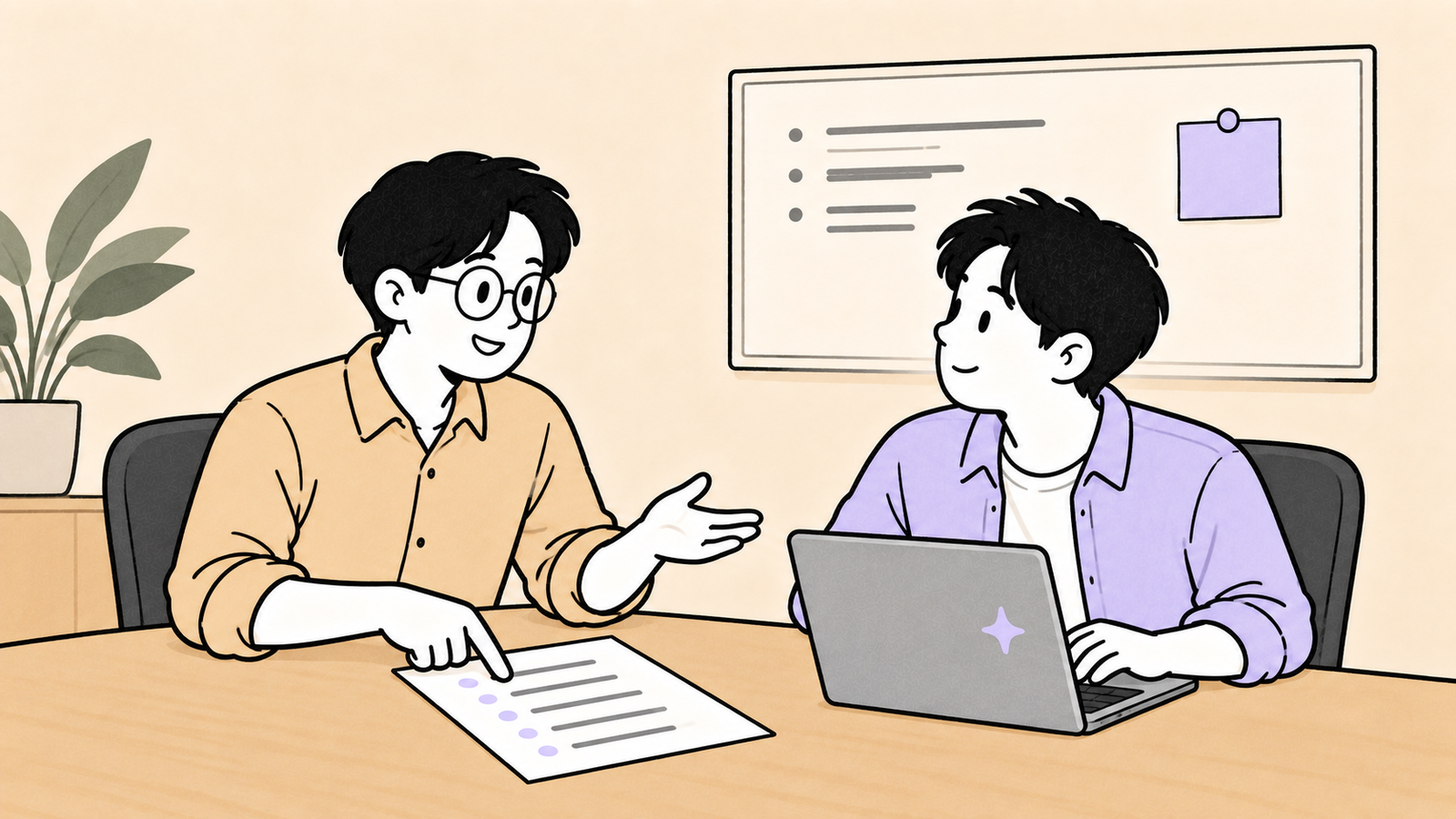
The Monday meeting ends with a request from your manager:
Let's put together a product plan based on what we discussed. Bring a draft next week, and we'll review it with engineering.
Back at your desk, you open a blank document. Instead of writing the first line yourself, you paste the meeting notes into an AI chat and ask for a draft.
It is a useful way to start. The notes become a document with headings and a clear outline, and you have something to work with.
The harder question comes next. Can you send that draft to engineering as it is? If not, what is missing?
An AI-generated product plan can describe a sensible idea while leaving the behavior a developer needs to implement undecided. One example makes the difference clear.
A feature description can leave the implementation open
Suppose you are planning a personal finance app with receipt scanning. The feature might appear in a first draft like this:
Photograph a receipt to record the expense automatically.
A specification for implementation needs more detail:
Read the merchant name, date, and amount from the receipt and add them to an expense entry.
If recognition fails, direct the user to manual entry. If the same receipt is scanned again, ask the user to confirm whether it is a duplicate.
Let the user edit the recognized amount before saving.
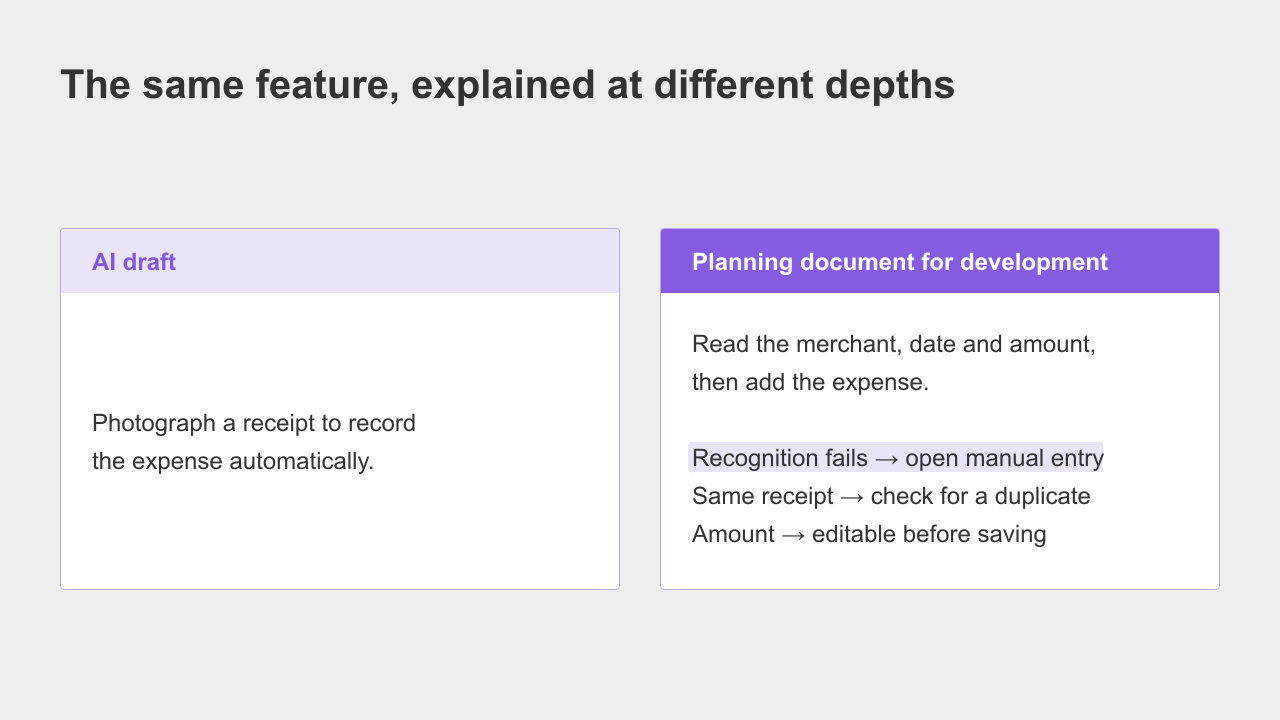
The first sentence is not wrong. It may be enough for a discussion about whether receipt scanning belongs in the product.
But approving the direction does not settle the failure behavior, duplicate handling, or editing rules. A developer still needs those answers before building the feature as intended.
Start by checking the paths that are easy to miss
There is no complete checklist for every product. A few questions are useful across many drafts:
What does the user see when the main action fails? For receipt scanning, this includes the message and next step after recognition fails.
What happens when two people act at the same time? In a shared expense app, a couple might enter the same expense simultaneously.
Who is allowed to take the action? For example, can one person delete an expense entered by the other?
What appears when there is no data? A new user has no expense history yet, but still needs a useful first screen.
When writing an initial draft, it is natural to picture the feature working.
The less obvious paths often emerge when someone starts designing or implementing it.
Reviewing them earlier gives you a chance to decide the behavior before it becomes a development question.
A detailed draft still needs flows and screens
Suppose you fill in all those conditions. There is another thing to check before the development review: whether each person can find the information they need.
For this kind of software planning, four documents are useful together:
A PRD, or Product Requirements Document, explains who the product is for, why it is needed, and what is in scope.
A feature specification describes the features and their detailed behavior.
A user flow maps the steps a user takes and the branches along the way.
A wireframe shows the rough layout of each screen.
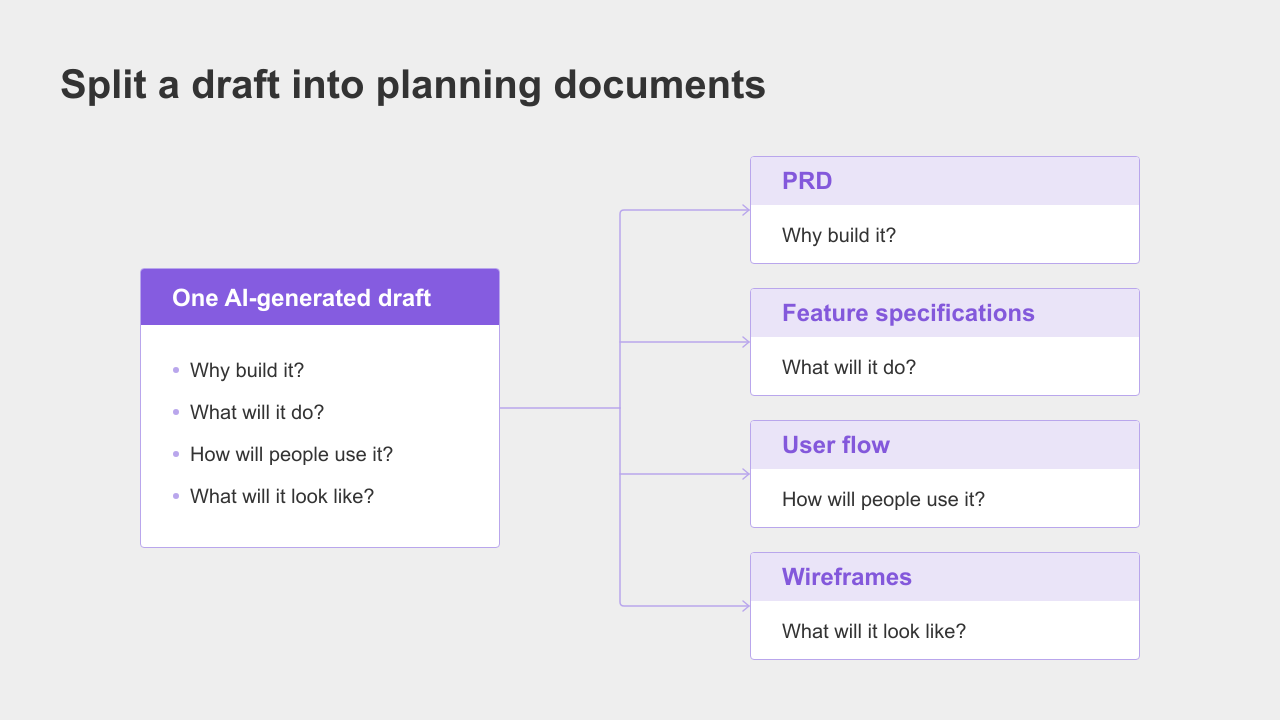
A developer estimating the work needs the feature rules.
A designer needs to understand the flow and the screens. If you send one long document, each person has to extract those parts before getting to work.
You can ask an AI to separate the draft into these documents. The next challenge is keeping them consistent.
Changing the manual-entry rule in the feature specification should also prompt a review of the relevant flow and screen.
Generating each document in a separate conversation does not, by itself, establish that relationship.
The goal is a set of requirements, flows, and screens that reflect the same decisions, with the details each person needs clearly identifiable.
Build the documents in an order you can review
You can do this manually. Separate the purpose and scope from the implementation details, check the conditions for each feature, and draw the user paths and screens.
That is a reasonable option, though it takes more work than producing an initial draft.
Manyfast, the AI product planning workspace our team builds, supports this process within one project.
You can start with an idea or meeting notes, then develop a PRD, feature specifications, user flows, and wireframes.
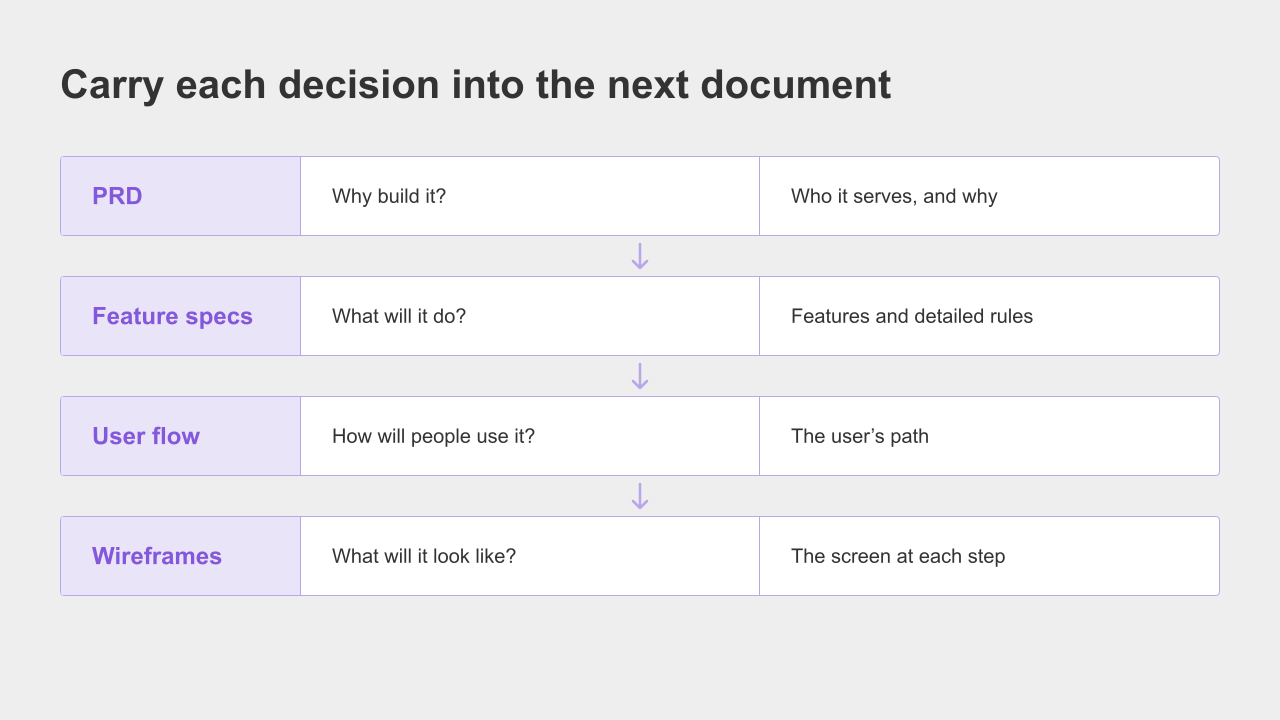
There is a practical reason for that order:
Start with the PRD. Knowing who you are building for and why gives you a basis for deciding whether a proposed feature belongs in the product.
Use that scope to develop the feature specification, including what each feature does and the conditions it must handle.
Map those features into a user flow. The flow makes branches, failure paths, and exits easier to see.
Use wireframes to put each step on a screen, so you can review the placement of information, actions, and messages with a designer or developer.
The AI can propose details for incomplete features, including what starts an action and what to show if it fails.
It can also raise questions about decisions that need your input.
You review those proposals, choose the rules that fit the product, and record them in the documents.
That review still matters. A generated proposal is something to assess, not an agreement your team has already made.
Frequently asked questions
Can a more detailed prompt produce a plan ready for development
A detailed prompt can improve the draft. A plan ready for development explains what happens under specific conditions, including exceptions, rather than naming features alone.
The limitation is that your prompt usually contains the conditions you already know to ask about. You can ask the AI to find missing cases too, but someone still needs to decide whether its suggestions fit the product. Whatever tool you use, review the draft and resolve the gaps before treating it as an implementation specification.
Can AI generate user flows and wireframes too
Some tools support both. A wireframe lays out the information, buttons, and messages on a screen. A user flow shows how the screens and actions connect.
When choosing a workflow, check how those outputs relate to the feature specifications. If you change what happens after receipt recognition fails, how will you identify and update the affected screen? If the documents and diagrams are separate, someone needs to keep both up to date.
What order should I use to write a product plan
Begin with the purpose and scope in the PRD. List the features and define their behavior in the feature specification, including exceptions. Then map the user flow and create wireframes for the screens.
You may revisit earlier decisions as the screens take shape. The important part is to keep unresolved conditions explicit and review them, rather than letting different people fill them in differently during development.
Two checks before you send the draft
Return to the document you are bringing to next week's review.
The headings and prose may already look convincing.
Your manager, engineer, and designer still need to know what has actually been decided.
Check two things:
Have you defined the failure cases, simultaneous actions, permissions, and empty states that matter for each feature?
Can the people receiving the plan find the requirements, user flows, and screen layouts they need, and do those documents agree?
If you want help turning the draft into that set of documents, start with it in Manyfast.
Work through the feature conditions and review the flow and screens before the engineering meeting.
Questions you settle there are questions the team will not have to guess at when coding begins.