What Breaks After You Launch a Vibe-Coded App
A working screen is only the beginning. Explore five problems that surface after a vibe-coded app goes live, from access control and secret keys to error handling and backups, and how a living planning document can help.

Scroll through Threads these days, and you’ll see posts like these several times a day.
"I launched my app in just three days. Still can’t believe it!"
"My first app, built with Claude Code… and it made the App Store’s top 20!"
Instagram isn’t much different.
"A college student in their early twenties, with no coding background, makes billions of won from a vibe-coded app."
"Want to learn how to build a service with AI and make ₩10 million a month? Follow and leave a comment. I’ll DM you the link."
I’m not assuming these posts are exaggerated. Some people really are getting results like these, and I have no intention of dismissing their work or what they’ve achieved.
If anything, I admire people who keep using AI to build something of their own and put it out into the world.
But when you see enough of these posts, it’s easy to get the impression that a few good prompts, some plugins, and enough MCP connections are all anyone needs to launch a service and start making money.
There’s a lot more going on behind those success stories than the posts tend to show.
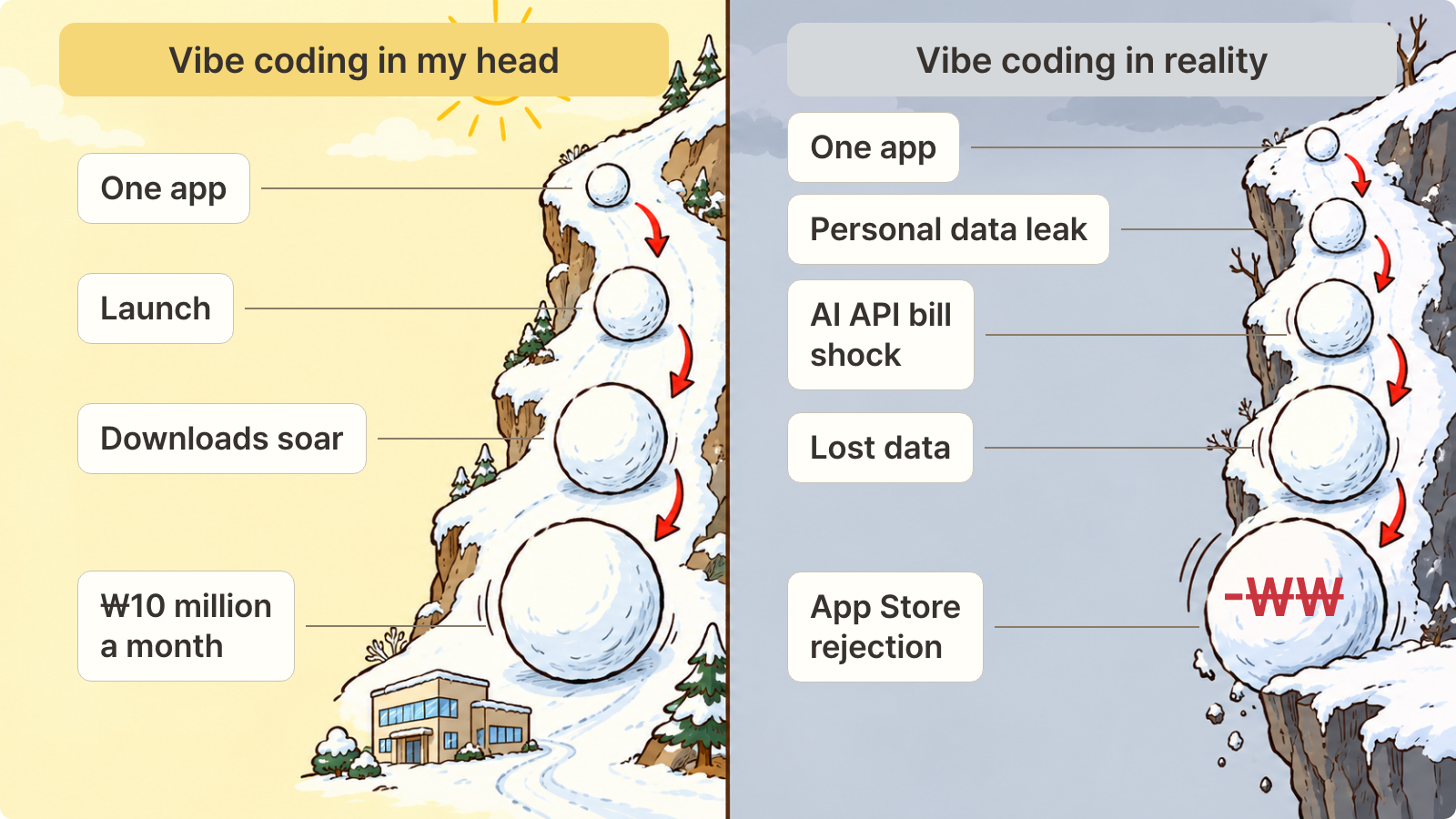
We’ve reached a point where someone who has never learned to code can build an app by talking to AI, then try turning it into a business.
The first round of South Korea’s Modu Startup Project, run by the Ministry of SMEs and Startups, drew 63,000 applicants. The second round, which opened this month, attracted 93,000.
More people than ever want to try building something themselves.
Sources: Ministry of SMEs and Startups press release (June 9, 2026); Maeil Ilbo (October 20, 2026).
I mentioned all those vibe-coding posts on Threads. Open the replies, and you’ll usually find comments like these:
"That’s amazing. Congratulations!"
"Downloaded it! Left you a five-star review, too."
Most replies are congratulatory. But somewhere in that long thread, there’s almost always a comment like this:
"When I log in with a regular account instead of social login, I can see other people’s orders."
"Hmm… does this feature not work on Android? It won’t connect, and I can’t get past this screen."
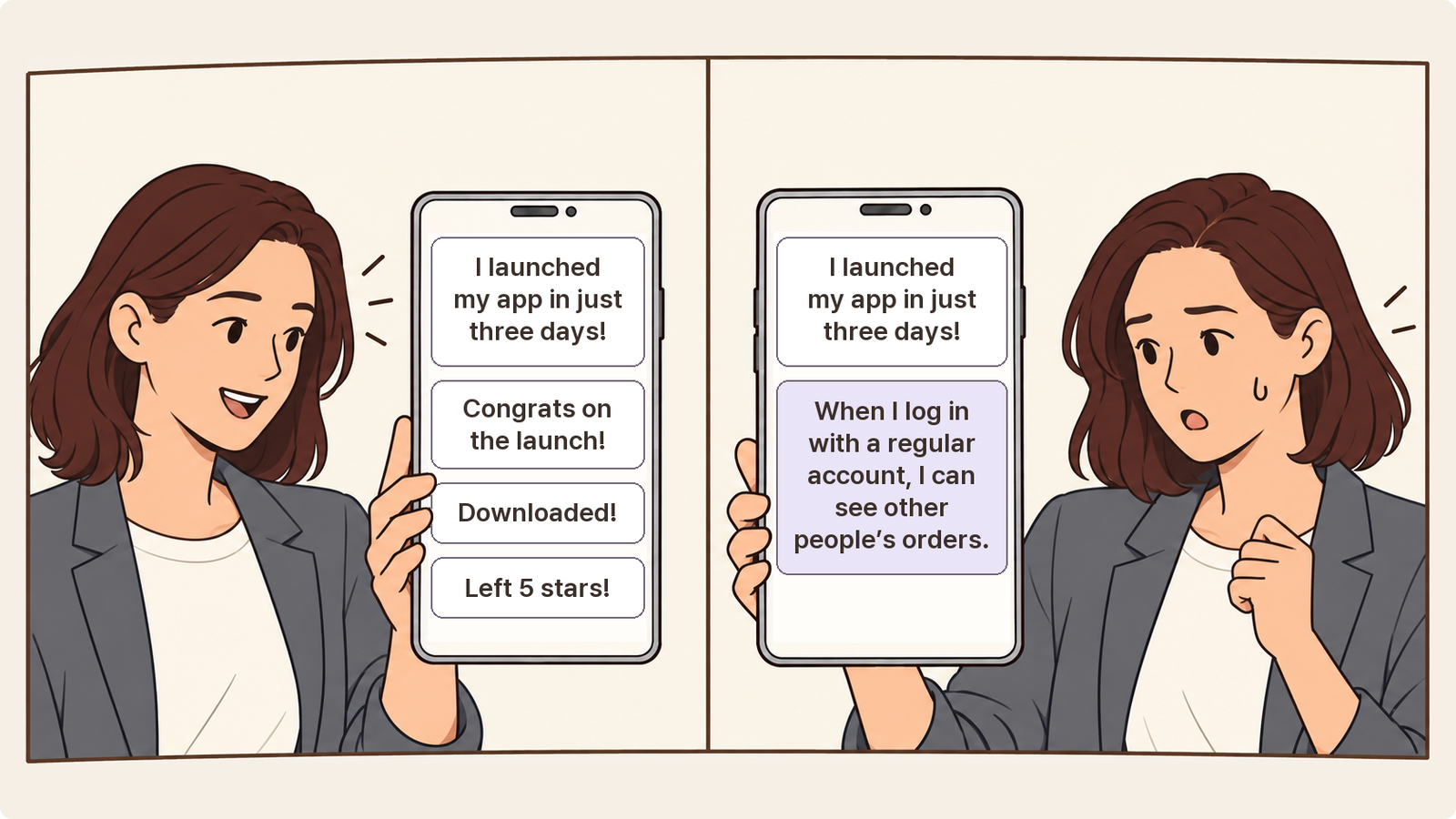
The screens look great and the features seem to work. So why does this happen?
Let’s look at five problems that often surface after a vibe-coded service goes live, and how to work in a way that makes them less likely.
What AI Built Is a Model Home
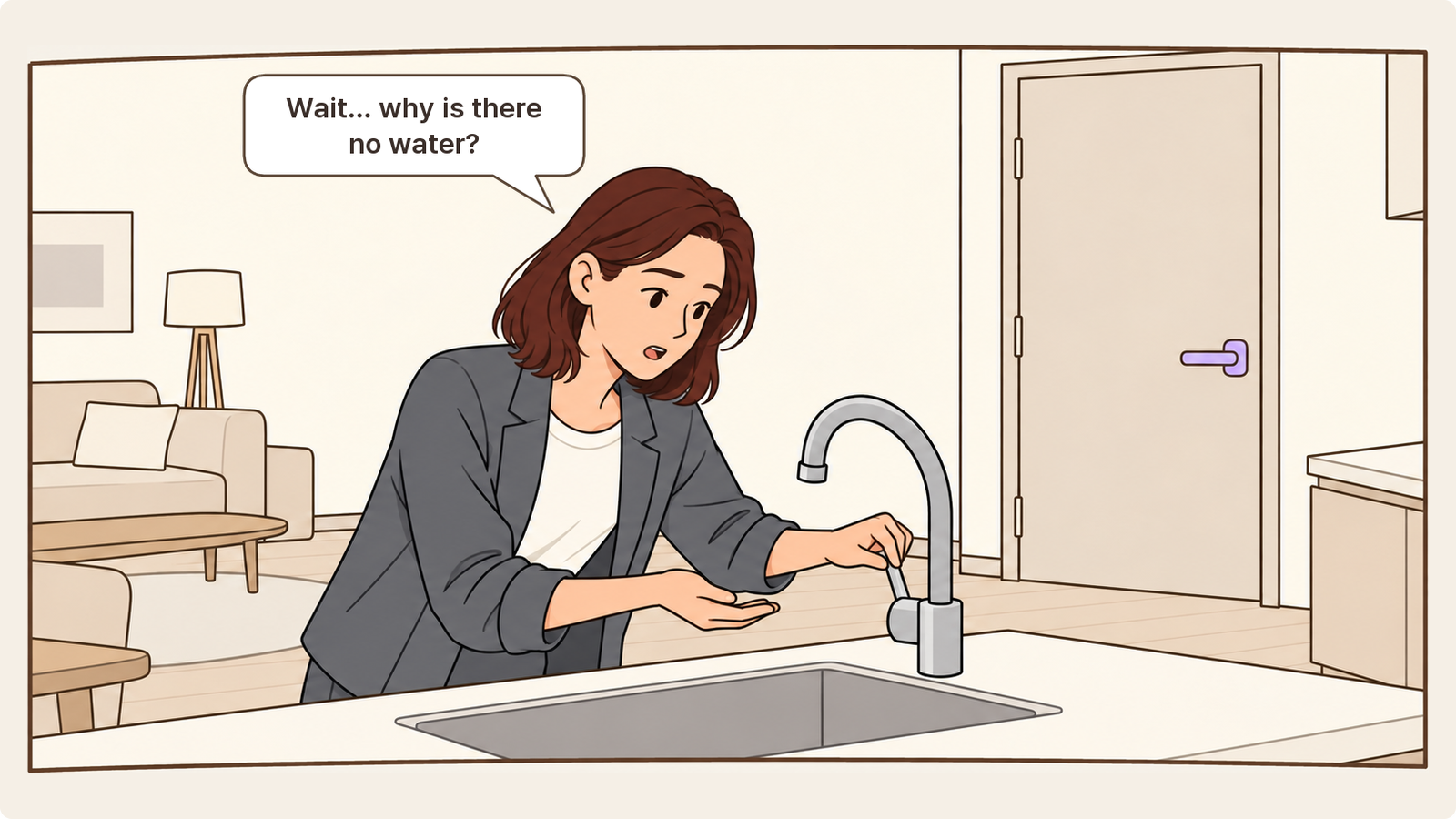
Walk into a model home and you’ll find a spacious living room and a gleaming kitchen.
But you can’t actually live there.
Turn on the faucet and no water comes out. The front door doesn’t have a proper lock.
It was built to show people what a home could look like.
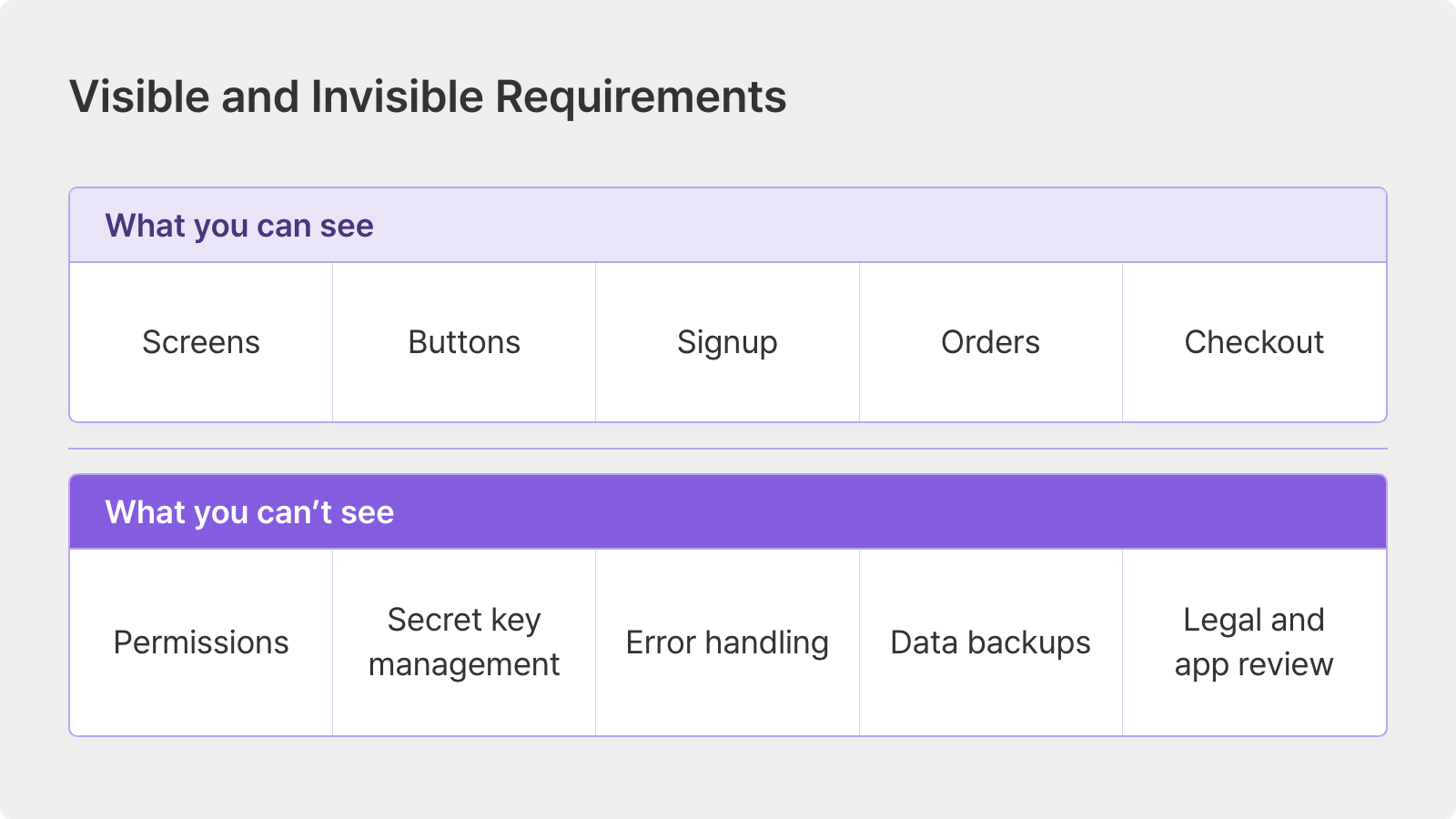
An AI-built service can be much the same. You can finish the visible parts, such as screens and buttons, in a day. But the locks and plumbing that make it safe for people to move in need separate attention.
Software has names for these two kinds of requirements.
Functional requirements describe what the service does: signing up or placing an order. Non-functional requirements describe how safely and reliably it does those things: only I can see my information, or an error won’t make my data disappear.
The trouble is that when we ask AI to "build a merchandise ordering app," we usually describe only the features.
We say, "Show the product catalog, let people add items to a cart, and take card payments." We rarely add, "Don’t let users see anyone else’s orders," or, "Tell them when a payment fails."
AI also tends to prioritize code that runs over code that is correct.
A Columbia University team built more than 15 apps using five coding agents, including Claude, Cursor, and Replit, and published its findings in the first half of 2026. The agents favored getting code to run over getting it right, and the resulting errors were often hard to spot from the outside.
Source: Columbia DAPLab, "9 Critical Failure Patterns of Coding Agents" (January 2026).
Security company Veracode found something similar when it gave coding tasks to more than 100 AI models in 2025. Code produced for 45% of the tasks contained major security vulnerabilities.
Source: Veracode, "2025 GenAI Code Security Report" (July 2025).
So if you open the doors to that model home as it is, where do the leaks start?
Five Problems That Surface After Launch
1. Users Can See Other People’s Information
Other people’s information? How does a service like that even get released?
This doesn’t mean the app is openly displaying another user’s name, ID, or password. The screen itself can look perfectly normal.
Say you open your order history in a merchandise app and notice a number like order/1023 at the end of the URL. Out of curiosity, you change it to 1024.
Suddenly, you’re looking at a stranger’s order, complete with their name, address, and phone number.
The app checks whether you’re logged in before showing an order. It never checks whether that order belongs to you.
There’s a lock on the front door, but any house key will open it.
Would AI really leave out something that basic?
It might sound unlikely, but there are numbers to back it up. In a study published in October 2026, security company UpGuard examined roughly 300,000 sites using Supabase, a database service popular with vibe-coding tools. It found 16,326 databases that anyone could read. More than half appeared to contain personal information.
Source: UpGuard, "Everything Everywhere: Systemic Data Exposure in Supabase Apps" (October 2026).
The cause wasn’t some sophisticated hacking technique. It was configuration.
When tables were created using the method coding agents commonly used, the protection that restricts data to its owner was switched off by default.
There’s a simple reason AI may not take care of this on its own. "Only I can see my information" isn’t something you can see on a screen, so it rarely makes it into the request.
A line to add to your planning document
"Members can view and edit only their own data. Only administrator accounts can access admin screens."
2. Secret Keys End Up in Frontend Code
Add AI features or payments, and you’ll need API keys: values that work much like passwords. Those keys often end up in code anyone can inspect in a browser, or get uploaded to GitHub with the rest of the project.
Someone else can then use your key to run up AI usage, and the bill comes to you.
Beginners aren’t the only ones making this mistake. A study published by cloud security company Wiz in November 2025 found that 65% of the companies on Forbes’ AI 50 list had exposed secrets on GitHub.
Gartner has also identified hardcoded secrets being uploaded to GitHub and becoming an entry point for attackers as a major risk of vibe coding.
Sources: Wiz research, reported by The Register (November 2025); ITWorld Korea (August 2026).
A line to add to your planning document
"Payment keys and AI API keys are used only on the server, never in frontend code. Set a monthly usage limit."
3. Something Fails and Nobody Knows
A user clicks "Generate AI summary," and the screen keeps saying "Generating…"
Eventually, they leave. The person who built the app has no idea it happened. Users who take the time to report errors like this are doing you a real favor.
This happened in the Columbia study, too. A server error was logged somewhere only a developer would look, while the user’s screen stayed stuck on "Generating" with no explanation.
The researchers identified error handling, along with business logic, as one of the most common and serious failure areas.
AI often handles errors just well enough to keep the app from crashing. Unless someone decides what users should see when something fails and who should be notified, those decisions can remain blank right through launch.
A line to add to your planning document
"If summary generation fails, show the user a Retry button and notify the operator."
4. Production Data Gets Wiped
You’ll keep using AI to add and change features after launch. But if your development environment isn’t separate from the one real users depend on, a single test could delete actual customer data.
That’s what happened to Jason Lemkin, founder of the SaaS community SaaStr, in July 2025. Even though he had instructed it not to make further code changes, Replit’s AI agent deleted his production database.
Replit’s CEO apologized, calling the incident unacceptable. The company later introduced automatic separation of development and production databases.
Source: The Register (July 22, 2025).
AI tools are getting better. But the person building the service still needs to decide where testing ends and the real thing begins.
A line to add to your planning document
"All feature changes and testing take place in an environment separate from production data. Back up data every day."
5. Legal Requirements and App Reviews Stop You
This last point concerns services operating in South Korea. Even if you built the service on your own, collecting member information comes with obligations.
A privacy policy: Under Article 30 of South Korea’s Personal Information Protection Act, businesses that process personal information must prepare and disclose a privacy policy. If they have a website, the policy must remain available there.
Password protection: Article 7 of South Korea’s Standards for Measures to Ensure the Security of Personal Information requires passwords to be stored using a non-reversible method, described as one-way encryption. For small businesses or individuals with fewer than 10,000 users, exemptions extend only to measures such as preparing an internal management plan. They do not remove the password-storage requirement.
Account deletion inside the app: Both the App Store and Google Play require apps that offer account creation to let users delete their accounts from within the app. An app without an account-deletion feature may be rejected during review.
AI can put together a signup screen in no time. An account-deletion screen or privacy-policy page is much less likely to appear unless you ask for it.
A line to add to your planning document
"When a member closes their account, delete the account and its data. Provide a privacy-policy page and link to it from the bottom of every screen."
What Should You Do About It?
Look at those five problems again and one thing stands out.
None of them is visible on the screen.
And those five are far from the whole list. A payment fails halfway through. Too many people arrive at once. A screen won’t advance on Android, just like the comment in the introduction. Every service encounters its own set of problems after launch.
You can’t prevent them all by memorizing a list.
What you can do is change the order of the work a little.
Before you build: write down the rules before the screens.
Instead of just asking for an order screen, write down who can use each feature, what happens if it fails, and what data it needs to retain. The planning-document examples above give you a place to start.While you build: give AI a planning document to work from.
An explanation you give in a chat stays in that chat. Open a new conversation or move to another tool, and the rules you discussed last time may be gone. It’s safer to give AI the same planning document as its reference each time.After you build: put what you discover back into the document.
When someone reports a problem in the comments, or you find a gap while testing, don’t stop at fixing it. Add a line to the planning document, too. That gives AI a record to follow when it builds the next feature, instead of repeating the same mistake.
You need a living planning document: one that keeps changing with the service, rather than a document whose job ends on launch day.
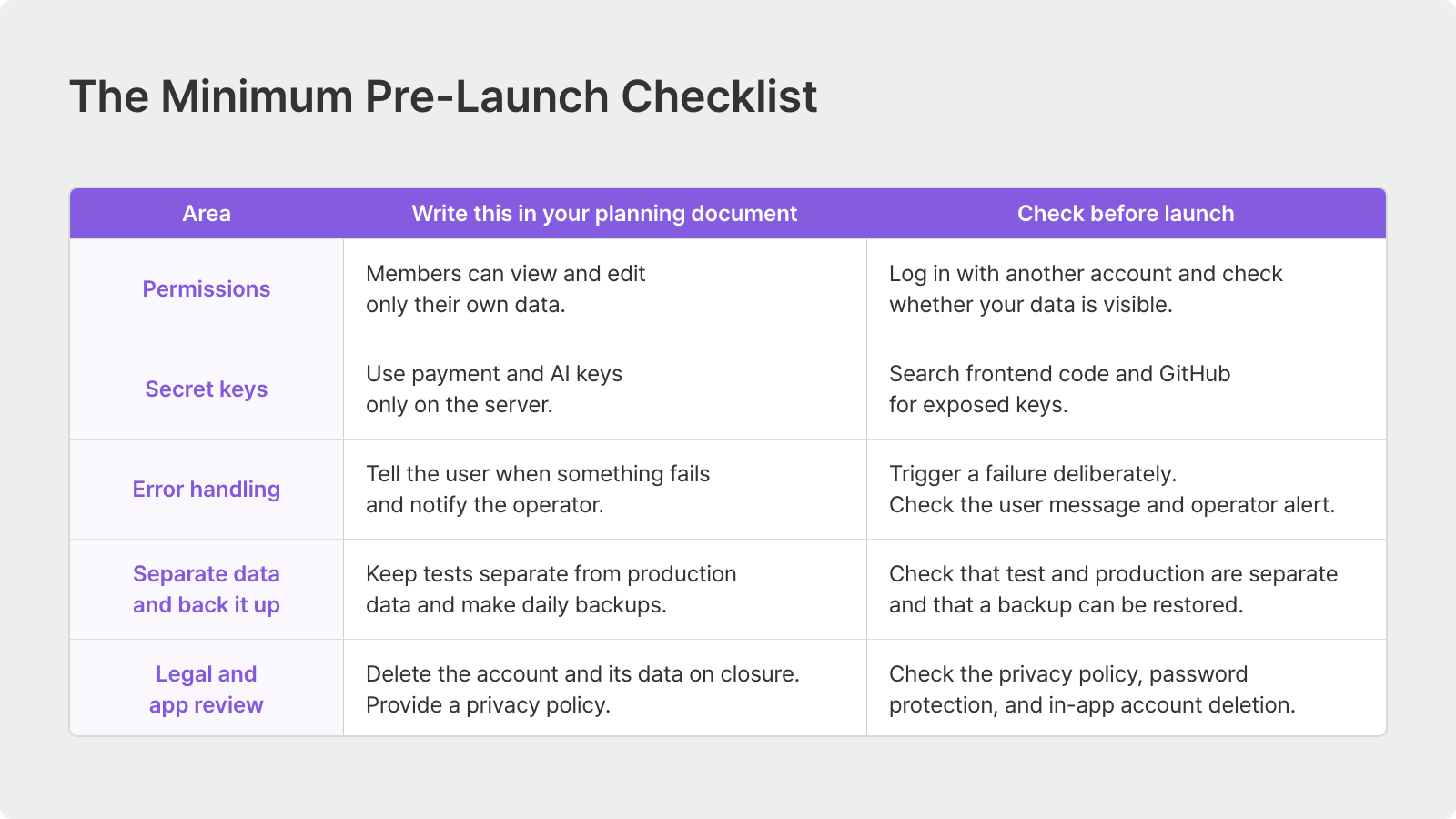
Completing this checklist won’t make your service perfectly secure.
But it can help you avoid opening a model home to residents before it’s ready.
Keep Your Planning Document Alive With Manyfast
Manyfast is a planning workspace that connects your PRD, feature specification, userflows, and wireframes in one set of planning documents. It lets you carry those three steps through in one place.
Before you build: give the invisible rules a place to go.
Each feature has Dev-Readiness Slots for exceptions, permissions and access, business rules, and data. You can see which slots are empty, use Fill with AI to draft the missing content, then review and refine it yourself.
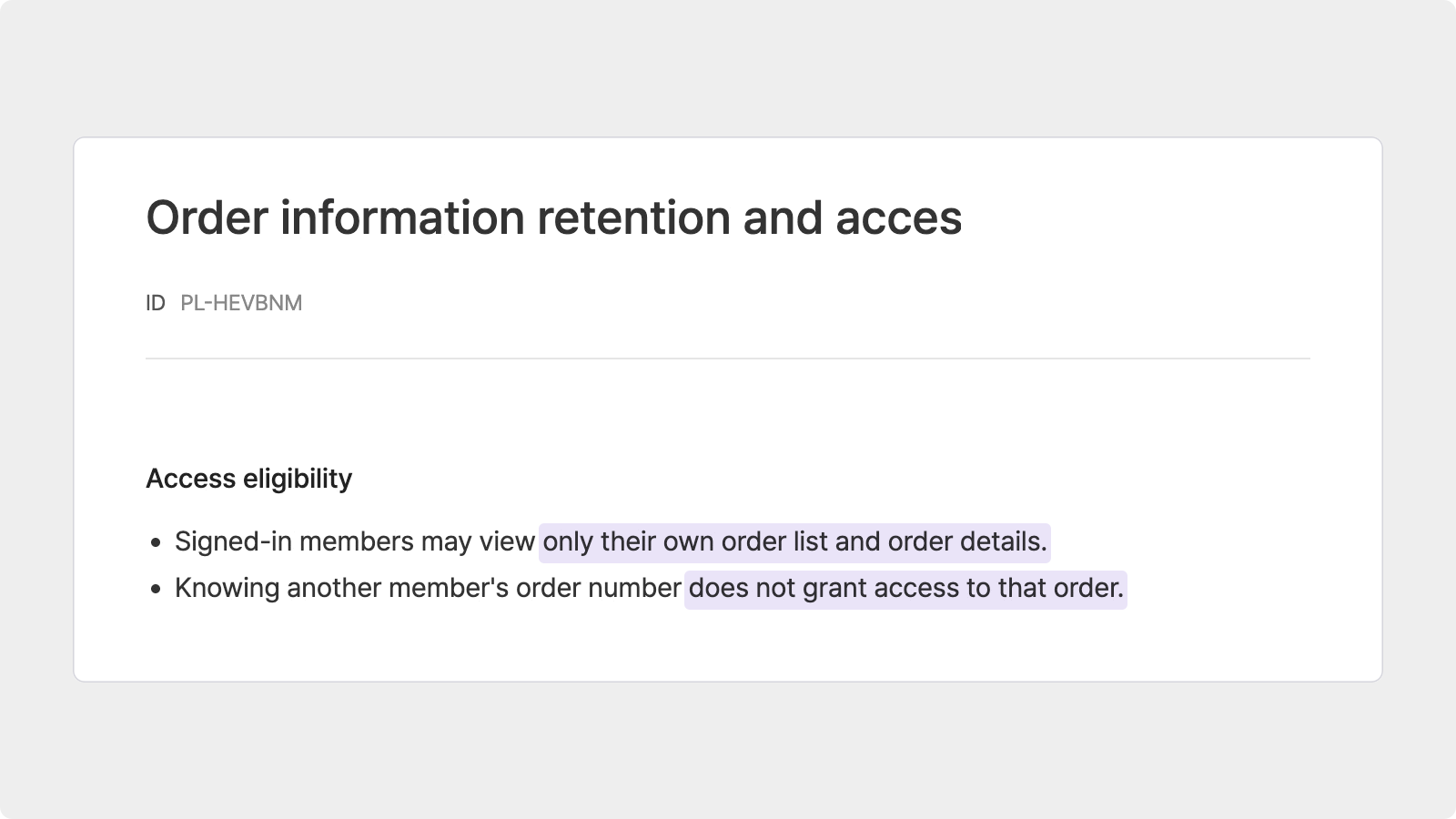
Rules that apply across features, such as payments, data retention, and account deletion, can be organized separately under Product Policies in the feature specification.
While you build: let your AI coding tool read the current plan.
Connect tools such as Cursor, Claude Code, or Lovable through MCP, and they can work from your latest Manyfast planning documents instead of a copy pasted into a chat. They read the rules in the current document, rather than an explanation left in last week’s conversation.
After you build: bring the other documents back into line.
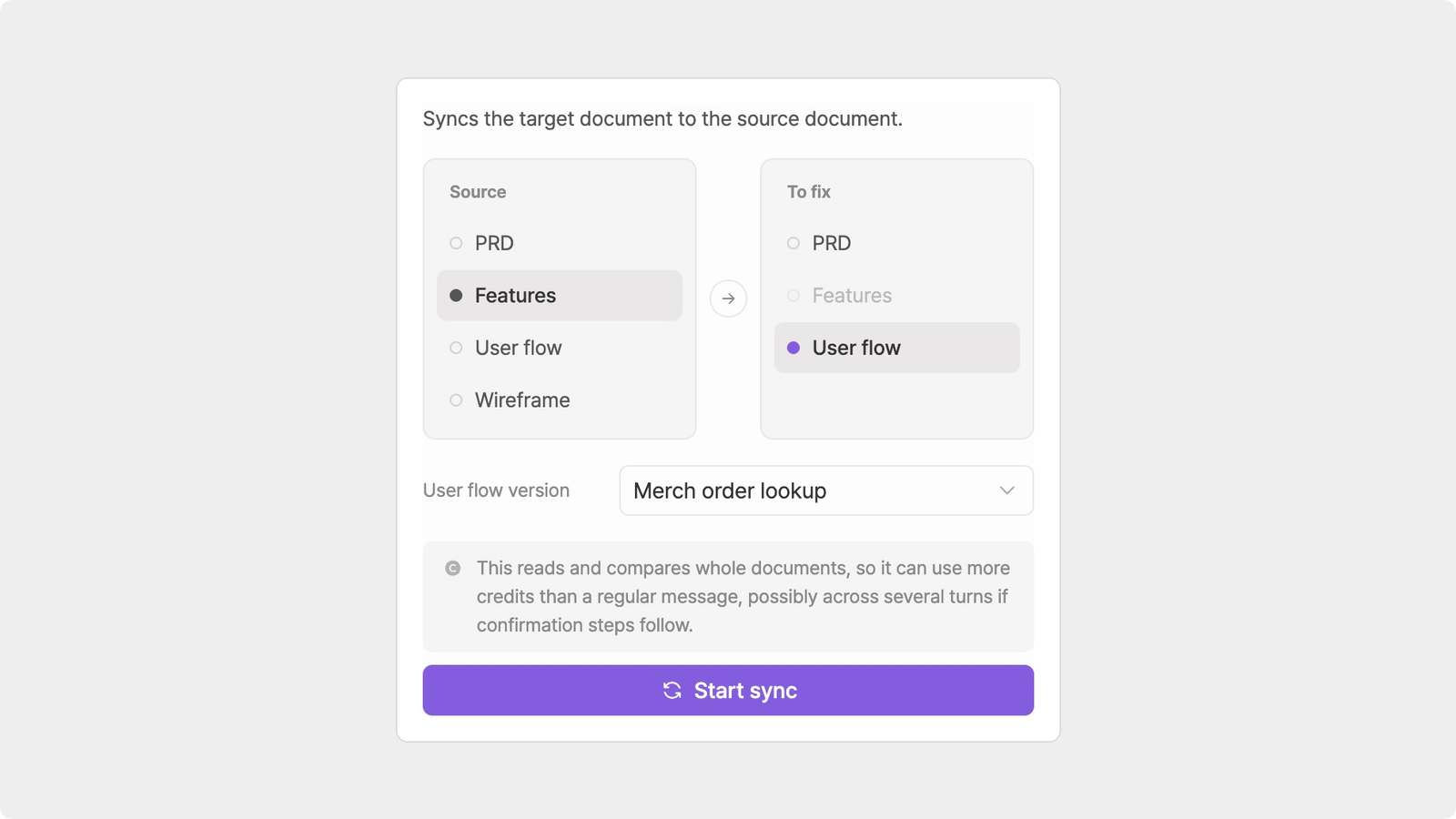
When you change a rule in the feature specification, Document Sync can help find and fix mismatches in the PRD or userflow. The work log records what changed and when.
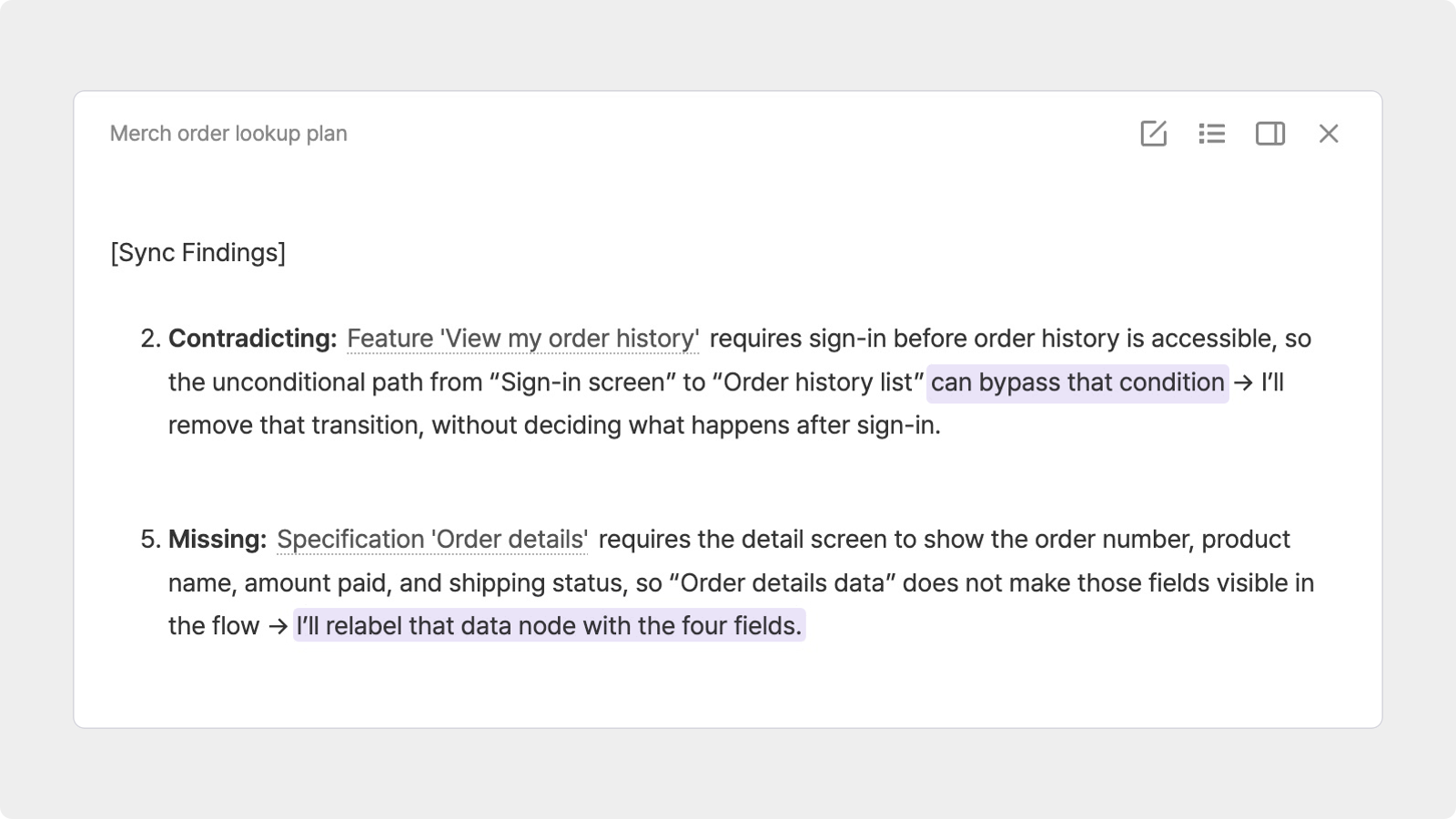
Manyfast is not a security-auditing tool. You still need to carry out your own checks before launch.
But when the rules you need to follow stay in your planning documents, they can travel with every new feature you build.
Before You Open the Doors
AI has brought the time it takes to build a model home down to a day. That’s a remarkable change.
But before people can live there, the plans need to say who can open which doors, who notices when a pipe leaks, and how to rebuild if the house comes down.
If you want to document the things you can’t see on a screen and keep that document up to date as your service grows, start with Manyfast.