Why You Need a Single Source of Truth Today
A single source of truth helps teams and AI work from the same agreed requirements. Learn what SSOT means and how to keep product specs, decisions, and implementation aligned.

SSOT (Single Source of Truth) — An information management principle in which an organization’s data or system state is created and updated through one trusted source.
You’ve probably been hearing this term a lot lately. Why?
Because the way we work has changed.
A product manager pastes a PRD from Notion into ChatGPT to refine a policy.
A designer reads a message and updates the screens in Figma.
A developer hands an issue to Claude Code, asks it to plan the work, change the code, and run the tests, then reviews the results.
Everyone uses different AI tools and gives them different documents.
What do these different AI agents need in order to work from the same reference?
Say a team like this decides to shorten its free trial from 14 days to 7.
The product manager updates the PRD and posts an announcement in Slack.
Two weeks later, the updated product goes live.
The landing page says 7 days, but the checkout screen says 14.
The response template used by the AI support system still says 14 days too.
Nobody did a bad job here.
Everyone carefully followed the document they were working from.
Unless the team has agreed on a final source of truth, this can happen no matter where the announcement is posted.
SSOT is the principle that prevents this.
Let’s look at what it means, where work goes wrong without it, and what changes when you apply it to product planning documents.
What is SSOT?
Let’s unpack that opening definition.
SSOT was originally a term used in database design.
Suppose you store a customer’s phone number separately in the customer, order, and shipping tables.
If the number is updated only in the customer table, the other two tables still have the wrong number.
So you store it in one place and have the other tables refer to it.
Over time, the same principle spread to code and document management.
Now it also applies to treating the specs that AI coding tools read as an authoritative reference.
The wording varies by field, but SSOT usually comes down to five conditions.
A designated source: Information is created and updated in one place. Everything else refers to that source.
A clear authority: The team agrees on what counts as authoritative, whether that’s an approved price list, deployed code, or something else.
An update path: There is a defined way for changes to the source to reach everything that depends on it.
Reasons and history: Changes record who made them, when, and why.
Minimal duplication and separate roles: The same information isn’t stored independently in multiple places.
Backups and historical records are kept separate from the authoritative source.
The same principle applies to product planning documents.
Remember the example of a ‘7-day free trial’?
Changing the trial from 14 days to 7 involves much more than changing a number.
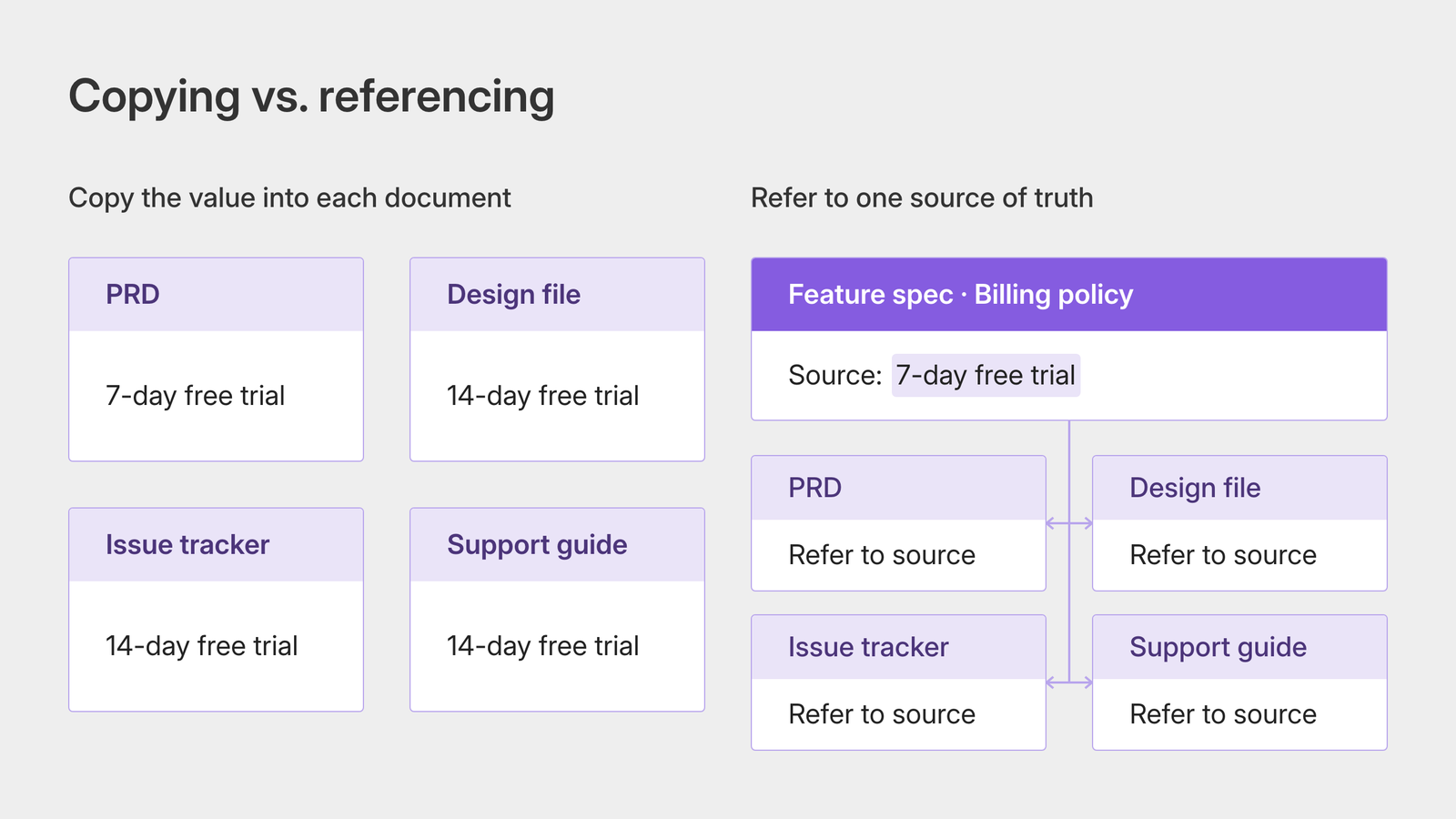
If the PRD, the design file in Figma or another tool, the issue tracker, and the support guide each say ‘14 days,’ you already have four independent sources for that one piece of information.
Even if the designer remembers every agreed decision and updates the landing page, the other two touchpoints can still be left unchanged.
This is where a common misunderstanding comes up.
“Can’t we just put all the documents in one place, or name them properly?”
“Why not have everyone use Notion instead of different tools?”
The short answer is that SSOT doesn’t mean putting every document in one folder.
Even if you move everything into Notion, you still have multiple sources if the same information is written separately on different pages.
They just happen to be in the same place.
Having documents isn’t the same as having an agreed reference.
What matters is the agreement: ‘For this information, this is the source of truth.’
What happens without a single source of truth
Without an agreed reference, a team’s documents spread across more places than you might expect.
Let’s follow the same free-trial change through three places where they drift apart.
1. Within the team: “Which version is the latest?”
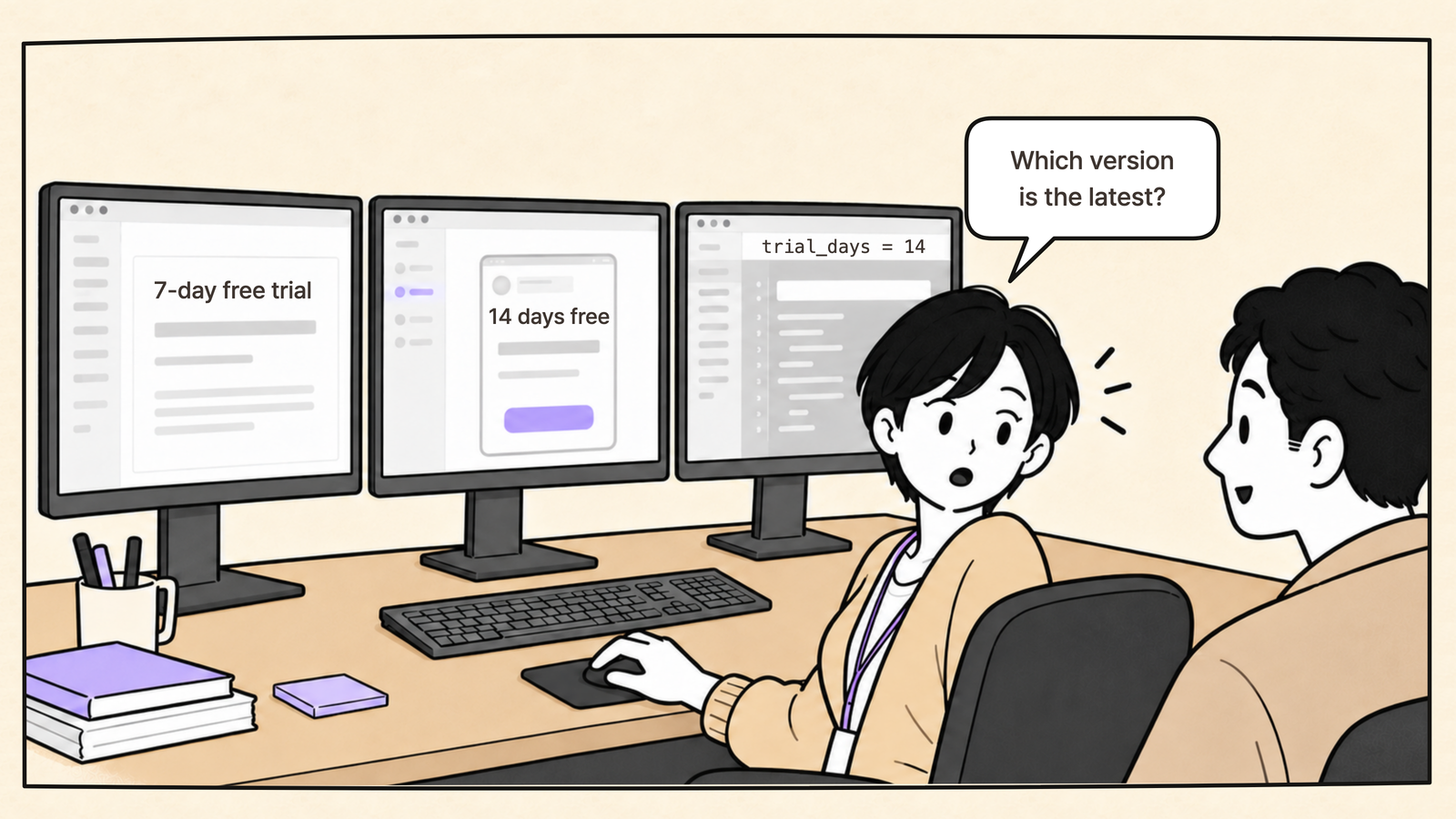
The PRD is in Notion, the screens are in Figma, and the code changes are tracked in GitHub.
Each tool has its own documentation, so when one is updated, someone has to remember to update the others.
That’s why the first thing a new teammate learns is often who to ask, rather than which document to read.
2. Between a company and its client: “We never agreed to that.”
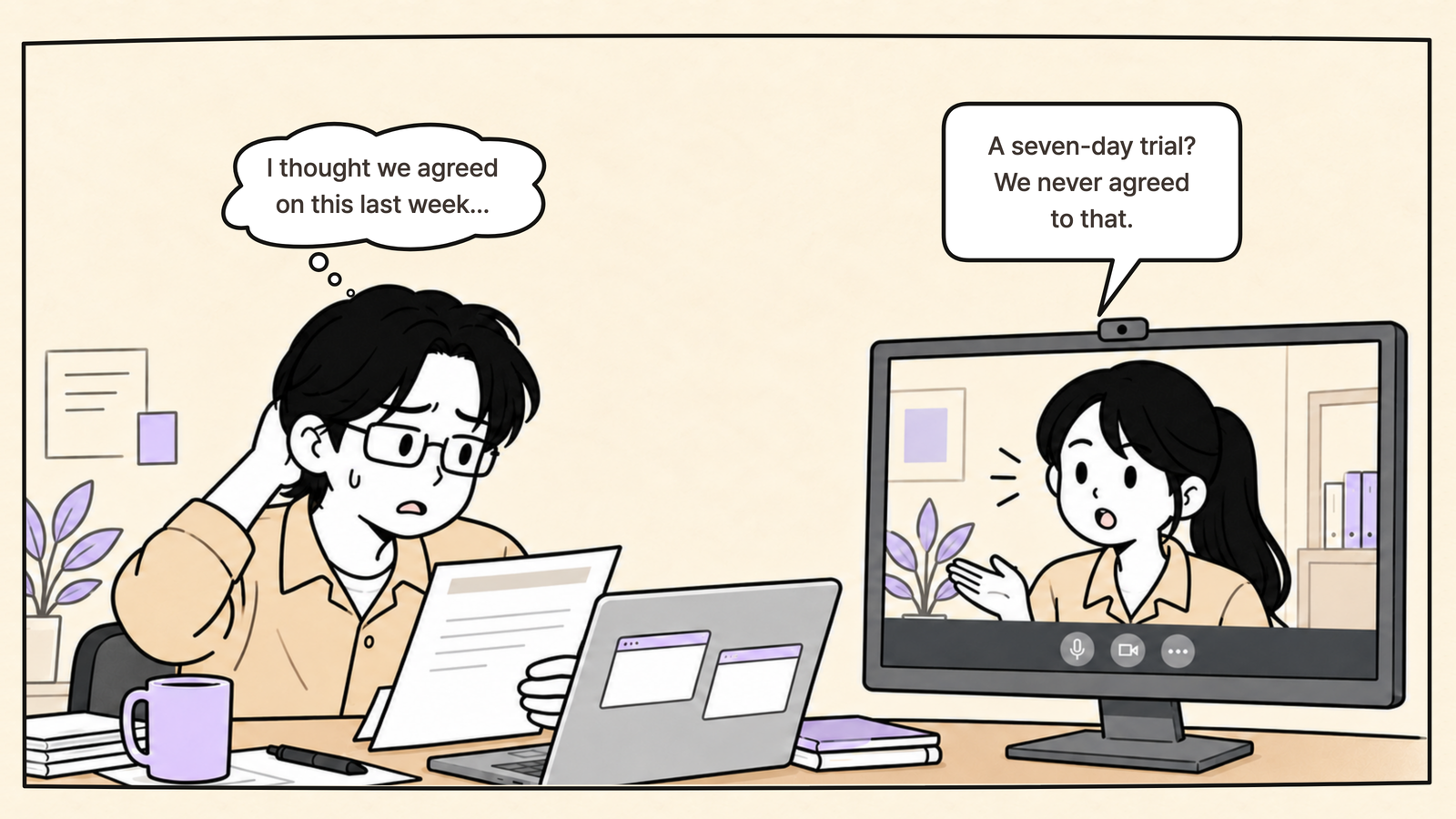
Documents can drift apart within a team.
On a client project, they can also drift apart across company boundaries.
Decisions change in meetings, emails, and KakaoTalk messages, while the shared spec stays where it was.
The document is three weeks old.
The decision changed yesterday.
If you can’t pull up the evidence right away, discussions about timelines and costs turn into arguments over who remembers what.
3. Between people and AI: “That’s last week’s spec.”
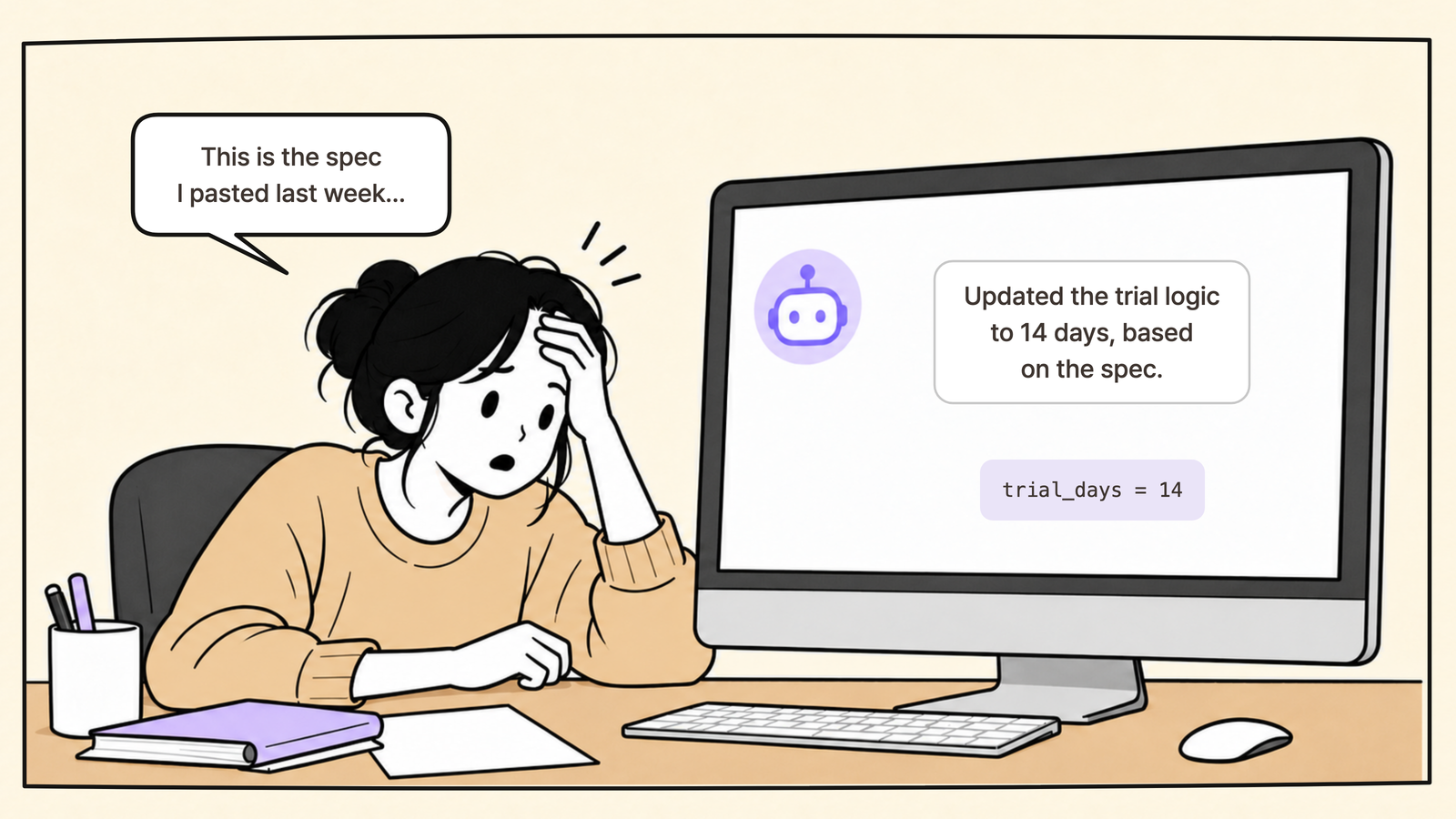
Many teams now paste a spec into an AI coding tool and ask it to do the work.
That leaves them managing the document people read separately from the prompt they give the AI.
People remember the meeting.
AI only knows what’s in the document.
If last week’s spec is still sitting in the conversation, that’s what the AI treats as correct.
Why does this matter?
Once, it’s a mix-up.
When it keeps happening, it becomes the way the team works.
First, finding answers takes time.
In Atlassian’s 2025 State of Teams report, which surveyed 12,000 knowledge workers and 200 executives,
leaders and teams spent 25% of their working time searching for answers.
When you don’t know which document is current, asking someone becomes the quickest option.
And if it doesn’t occur to you to ask, you can keep working from an outdated document without realizing it.
Second, AI makes the problem bigger.
In the H2 2026 AX Trends Report, based on 2,078 responses, ‘fragmented data’ was the second most commonly cited barrier to AI adoption among large enterprises, at 39%.
Source: Jocoding AX Partners, H2 2026 AX Trends Report · Survey results coverage
A person might stop and ask when something looks wrong.
AI trusts the document it receives and gets to work quickly.
If the sources are still fragmented, working faster just means incorrect results pile up faster too.
How would the same team work with SSOT?
Let’s take the same change to the free-trial period and walk through it with a team that has a single source of truth.
Wait, one thing before we do.
When you hear ‘version control,’ you probably think of filenames like ‘billing_policy_v1’ and ‘billing_policy_v2.’ Of course v2 looks like the latest version.
But whether v2 is the version the team has agreed on is a separate question.
So as well as choosing an authoritative document, you need to agree on when a version counts as confirmed.
That might mean updating the document after a meeting and keeping a separate record of the version handed to developers or reviewed by the client.
What does that look like in practice?
Let’s start with the same meeting and the same decision, then follow the work step by step.
This team has already agreed on one rule.
“Policies such as pricing and trial length are defined only in the ‘Billing policy’ section of the feature spec.”
Other documents link to that section instead of copying the numbers.
One product manager is responsible for updating it.
The product manager, right after the meeting
The product manager opens the feature spec before Slack, changes 14 days to 7 in the ‘Billing policy’ section, and adds one line below it.
“October 2 meeting: trial period 14 days → 7 days.
Decision based on the conversion test results.”
Only then do they post an announcement and notify the team in Slack or the company messenger.
“The billing policy has changed.
Please check it here: (link to feature spec).”
The announcement doesn’t repeat the number, so the Slack message doesn’t become another source to maintain.
The designer, after seeing the announcement
The designer follows the link and confirms the 7-day trial.
In Figma, every screen that displays the trial length has a note: ‘Source: Billing policy.’
Searching for that note brings up both the landing page and the checkout screen.
The team in our first example updated only the landing page.
This team updates both.
The developer
The GitHub issue links to the same section instead of repeating the number.
The code is set up to read the trial length from a single configuration value,
so changing that one line updates both the checkout copy and the actual billing logic.
The support AI and AI coding tools
Instead of receiving a copied response template, the support AI is connected to the ‘Billing policy’ section.
Once the product manager updates it, the AI answers, ‘The free trial lasts 7 days.’
The developer’s AI coding tool also uses that same document to change the code, rather than relying on last week’s conversation.
Two weeks later
If someone says, ‘We never agreed to seven days,’ the product manager can show that one-line change record without searching through their inbox.
And when a new teammate asks which version is current, the answer is a single link.
The team followed three rules.
One source of truth: Each piece of information had one authoritative home. Everywhere else pointed to it instead of repeating the number.
Changes feed back into the spec: The team updated the authoritative document before making an announcement and recorded the reason for the change in one line.
People and AI read the same document: Rather than pasting a copy into the AI, the team let it read the same document people used.
The first two rules put the general conditions we discussed earlier into practice.
The third has become especially important now that AI works alongside the team.
SSOT looks different depending on whether you’re working with data, price lists, customer information, or something else.
For software planning, I’d put keeping the spec in sync with the code first.
If the spec says 7 days but the code still says 14, the spec has become a historical record rather than a working reference.
Teams building with AI are starting to distinguish between two kinds of specs: one written for a single task and set aside afterward,
and one that stays in use and gets updated whenever a feature changes.
A good software spec is the second kind.
It changes as decisions change and stays aligned with the code.
It’s a living document.
Is SSOT working on your team? Three questions
Think of a feature you’re working on now and ask yourself:
If someone asks for the latest agreed requirements for this feature, is there one place to send them?
Does today’s authoritative document include the changes agreed on in yesterday’s meeting?
Is your AI coding tool reading the document the team has agreed on?
If you answered ‘no’ to any of these, you may have documents, but you still have more than one source of truth.
Using Manyfast to make your specs the source of truth
You can do what we’ve described in most document tools.
But someone has to remember to add the links, update the document first, and record the changes every time.
When things get busy, those rules are often the first to slip.
Manyfast is a planning workspace that organizes the decisions and conditions needed to build software.
It puts the steps people are most likely to miss directly into the planning workflow.
One source of truth: The PRD, requirements, features, and detailed specifications form one hierarchical document.
User flows and wireframes are created in the same project.
You can see where the trial length is defined and which screens relate to it, all within that project.
Changes feed back into the spec: Upload meeting notes, and AI separates confirmed, pending, and rejected decisions, you can review them before applying confirmed decisions to the spec.
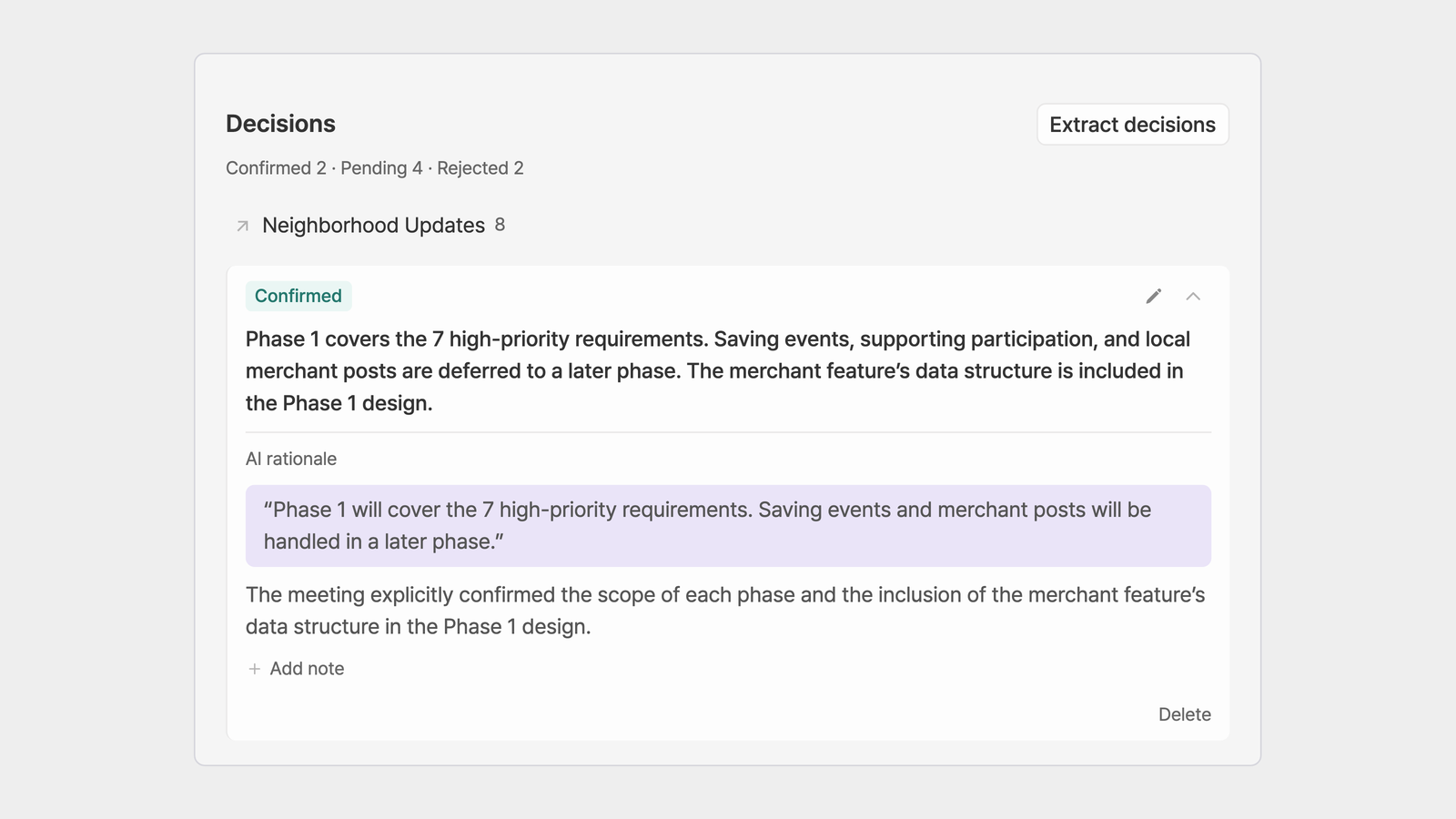
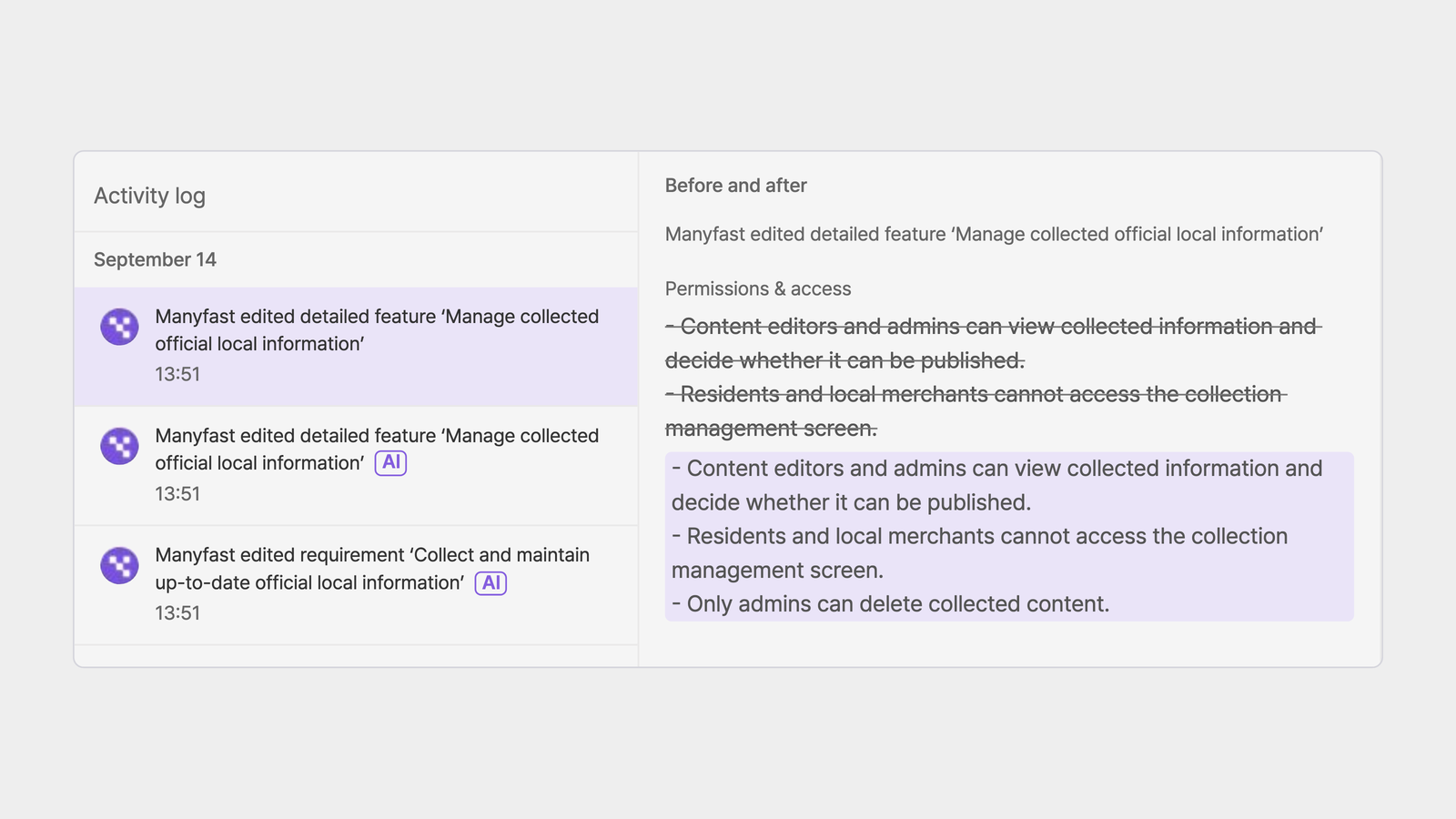
Each decision includes the original meeting excerpt as evidence, and the activity log records a before-and-after comparison of what changed.
On a client project, that also means you can pull up the original meeting notes as soon as someone says, ‘We never agreed to that.’
People and AI read the same document: Connect AI coding tools such as Cursor or Claude Code through MCP,
and the AI reads and implements the spec your team has agreed on in Manyfast, rather than a pasted copy.
The team’s decisions and the reasons behind them stay in one place, so teammates, clients, and AI all work from the same reference.
Frequently asked questions
Q. Isn’t the code the real source of truth, whatever document tool we use?
Code gives the most accurate account of how a feature is implemented.
It can tell you, for example, that an account locks after five incorrect password attempts.
But it doesn’t tell you why the limit is five, or whether that decision came from a security review or a high volume of support inquiries.
That’s why code and planning documents need to stay aligned.
Q. Do small teams need this too?
Even a three-person team ends up with a PRD, design files, and an issue tracker.
When the team is small, ‘I’ll just tell them’ can seem good enough.
But once AI coding tools are part of the work, changes shared only in conversation never reach the AI.
Q. If AI can read long documents, do we still need SSOT?
AI can read a lot of documents, but it can’t decide on its own which one your team considers authoritative.
You can, of course, add ‘This is the latest version’ or ‘Of all the files I’ve attached, this one takes priority’ to your prompt.
But that requires the person writing the prompt to know which version of every document is current.
The file also needs to include every change agreed on in yesterday’s meeting.
And those instructions exist only in that conversation.
They don’t automatically carry over to another teammate’s AI, or to a new chat you open when the context window fills up.
Even pasting in a Markdown file only goes so far.
The team still has to decide what counts as authoritative.
SSOT is a way to make that decision once.
A final thought
SSOT may sound like the name of a complicated system, but it comes down to one sentence.
“For this information, this is the source of truth.”
That source needs to be a document people and AI both read, rather than one only a single person uses.
If the same questions about a feature or policy keep coming up, you may not need more documents.
You may have too many competing references.
If you want one authoritative home for your specs, where your team, clients, and AI can all read the same document, start with Manyfast.