You Have an Idea — but Are You Ready to Meet a Developer?
Turn one paragraph of an idea into a PRD, a feature list, and three screen sketches, so your first developer meeting starts with documents instead of thirty minutes of explaining.
Is the service you want to build still living only in your head? And have you ever tried explaining that idea to a developer, out loud?
I know how that meeting goes. After thirty minutes of enthusiastic explaining, the developer carefully starts asking:
"So... what happens when bookings overlap? Is there a sign-up? How many screens are you thinking?"
You go in to ask for a quote and walk out with a list of questions. Not because the developer was being difficult —
if there had been a document, the document would have answered them. Planning done out loud comes back as the developer's questions.
In this part, we start from a single paragraph of an idea and build the three things to bring to the meeting:
a document that captures why you're building it (a PRD), a feature list, and screen sketches. You don't need to have written a planning document before.
There are two key scenes. In Step 2, the moment one paragraph turns into documents. In Step 3, three screen sketches.
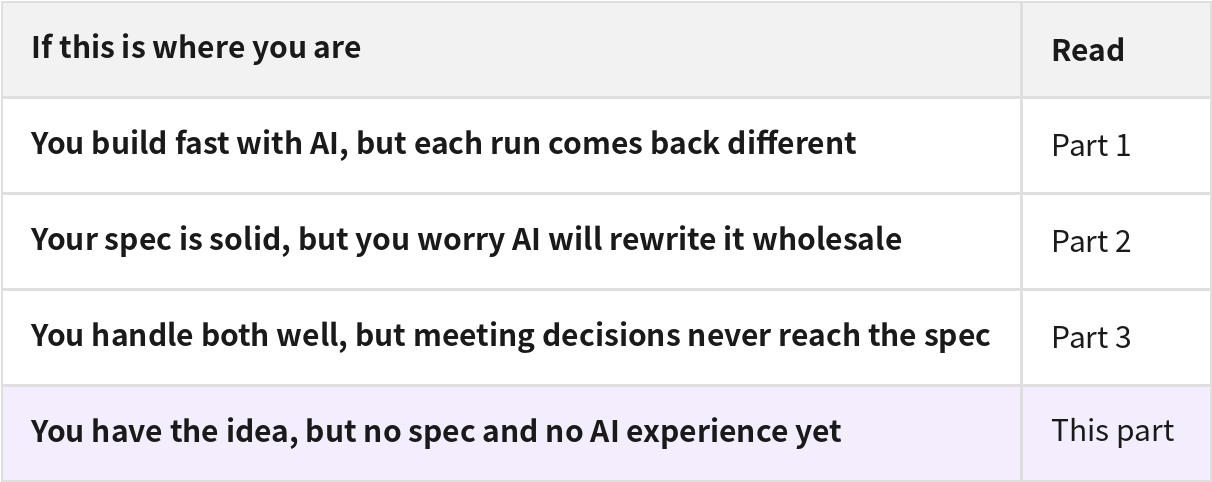
This case study series has four parts, one for each situation. Start with the one that matches where you are right now.
The idea in this case
What I want to build is a booking app for neighborhood hair salons and craft studios.
That one thought is all I have — and the developer meeting is next week.
Step 1. Write the idea down the way you'd say it
Create a new project in Manyfast and Manny, the planning assistant, greets you. I typed my thinking into the chat exactly as it was.
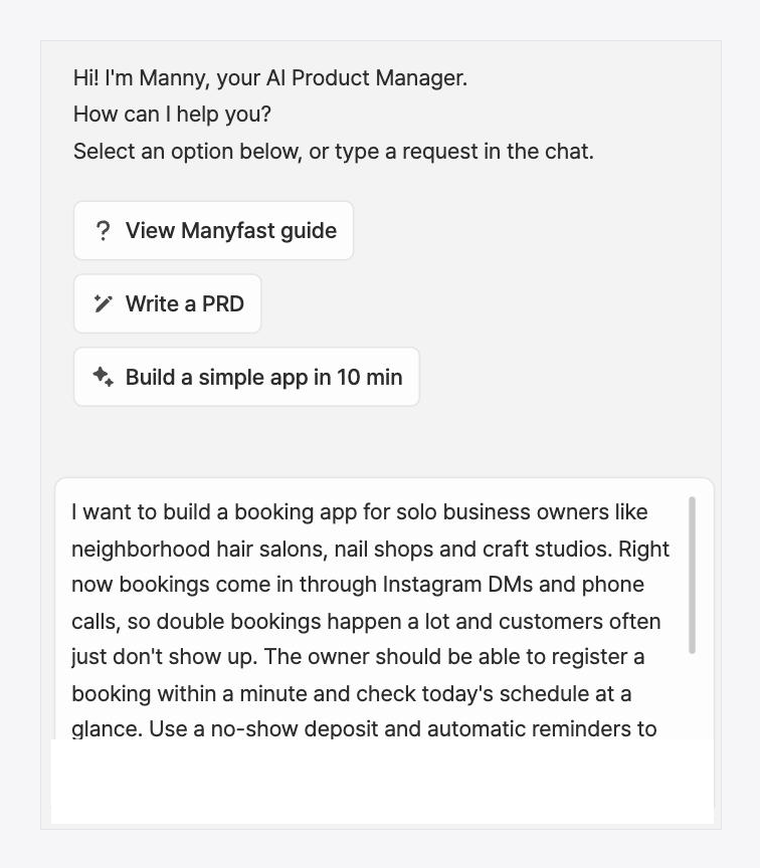
Not a single planning term. I even wrote down the worry that I didn't know what to sort out first.
Here, that message becomes the starting point of the plan.
Step 2. One paragraph becomes a PRD and a feature list
From that one paragraph, a PRD comes first — a document that puts into sentences who the service is for and why it needs to exist.
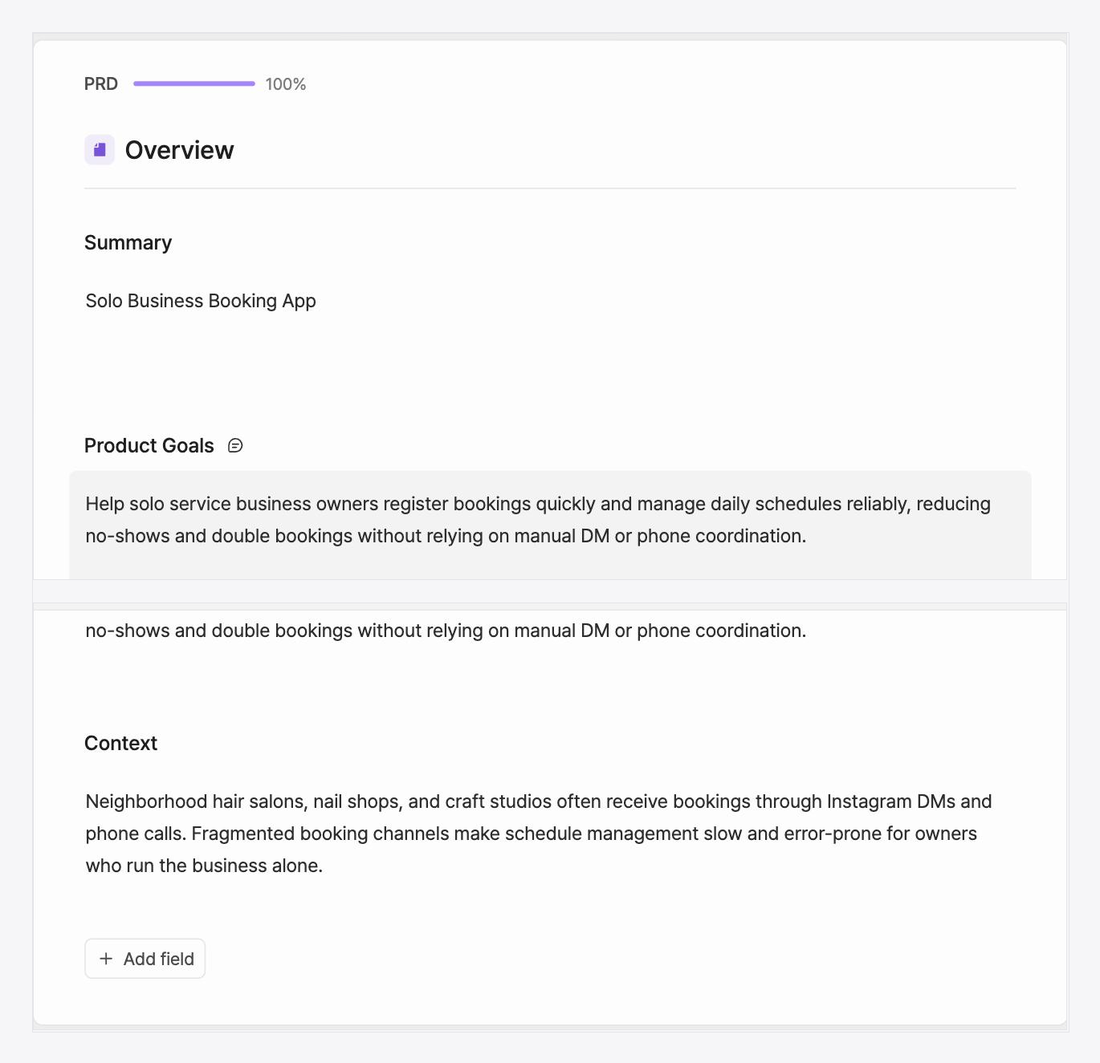
Then comes the feature list. Features are organized under areas like booking intake,
booking calendar, and no-show deposits (a security deposit collected upfront at booking),
and each feature carries dev-ready slots that count the items to decide before development.
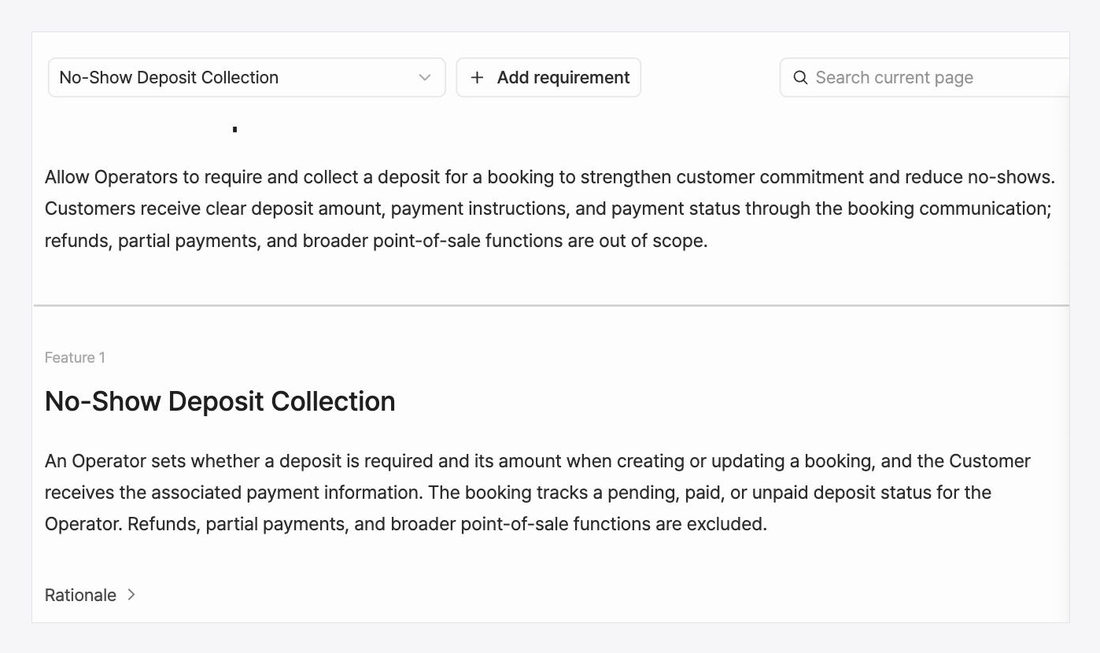
Now there's an answer to the developer's "how many features are we talking about?"
This is the step where the scope that lived only in your head becomes a written list.
If a sentence feels off, you fix it — and the conditions still blank, Manny asks you about.
Step 3. And three screen sketches
Documents alone make it hard to talk about screens. So screen sketches (wireframes) get made too. We made three: booking details, the daily schedule, and the new booking form.
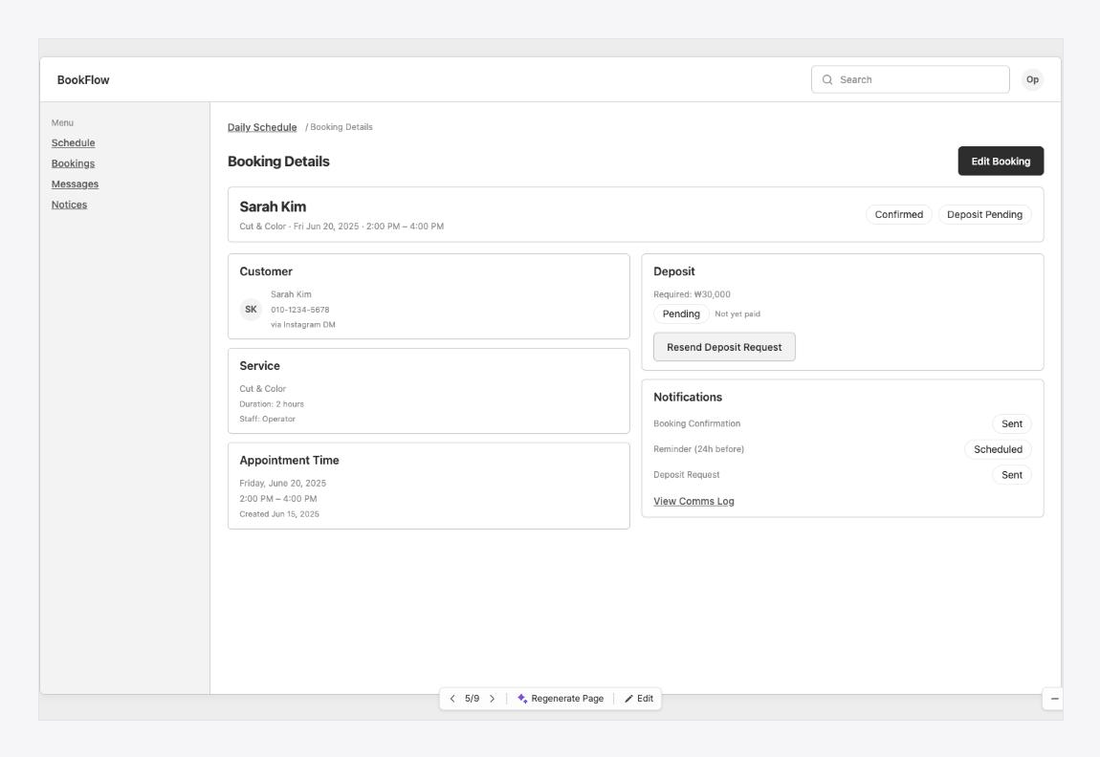
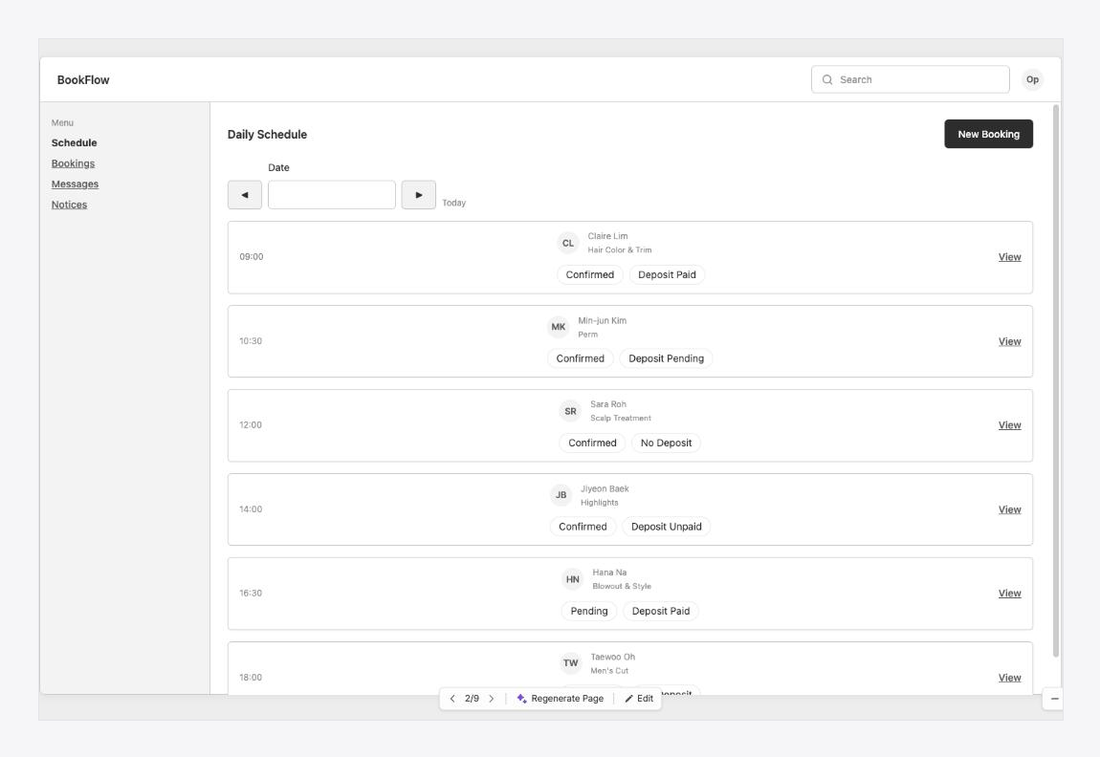
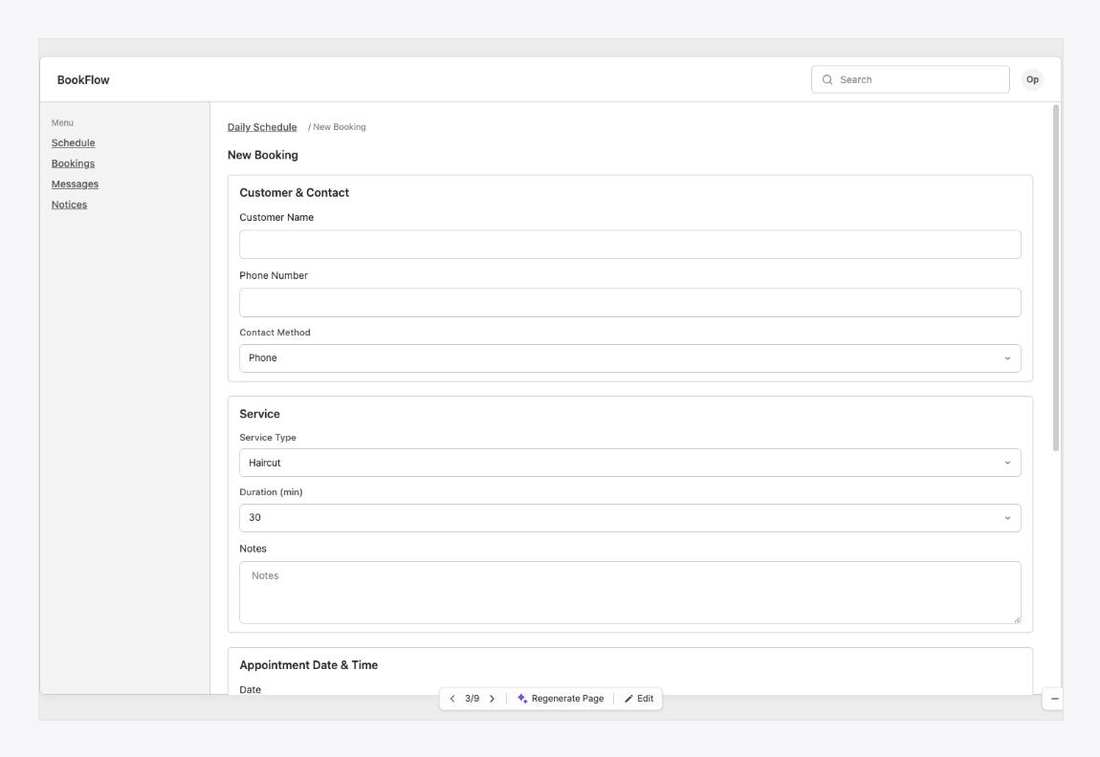
Buttons and input fields are laid out like a real screen, so
"how many screens are you thinking?" gets answered with pictures.
No more sketching screens in the air with your hands mid-meeting.
So what's different at the meeting?
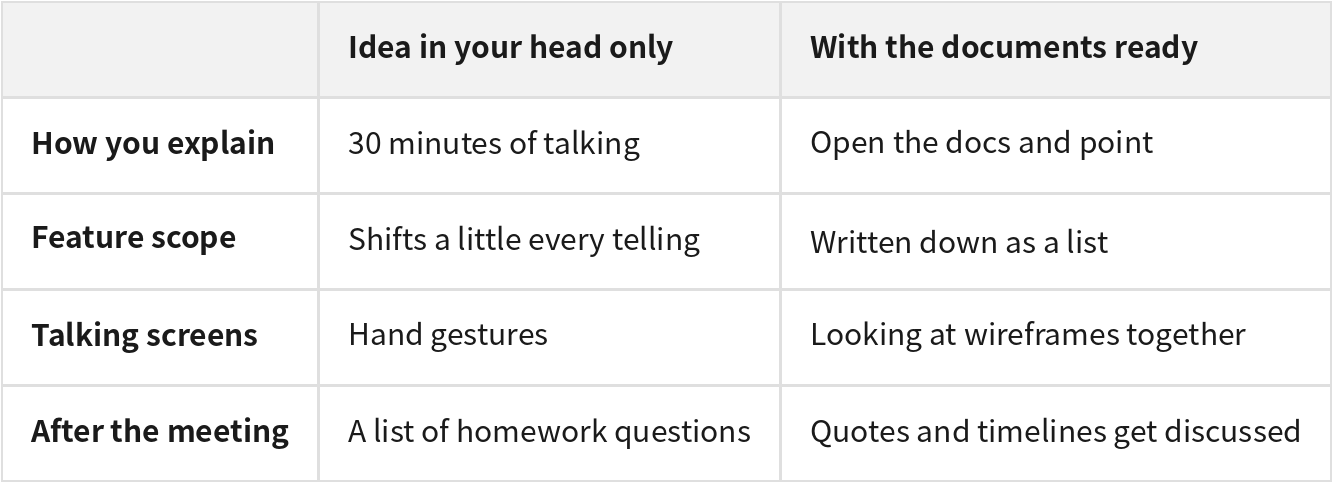
The idea is the same — but now there's something to show.
You walk into the meeting with the developer's questions already written down in documents.
Manny is what turned your sentences into documents, and the dev-ready slot questions are what asked about the blanks in advance.
Wrapping up
Back to that meeting where thirty minutes of explaining earned you a list of questions.
Looking back, I knew the answers to most of them. There just wasn't anywhere they were written down.
What I did this time was simple.
I wrote one paragraph of thoughts, answered Manny's questions, and received a PRD, a feature list, and three screen sketches.
With these three things, the meeting starts differently.
Instead of explaining, you open the documents — and talk with the developer about what comes next: the quote, the schedule, what to cut and what to build first.
Before you meet a developer, start by writing one paragraph.
The documents can be done today.
What you can try today
Write one paragraph about what you want to build, in your own voice. Worries included.
Read the generated feature list and fix just one sentence that doesn't match your thinking.
Open the screen sketches and walk through them in the order you'd show a developer.
You can start for free, and up to three projects stay free. Make one before your meeting.