Decided It in the Meeting, but the Doc Never Changed? Make Decisions Follow Into Your Documents
Fast teams let documents fall behind their decisions. Connect your meeting notes and watch decisions become cards, with the exact sentence to change highlighted for your approval.

Three days after the meeting, a message arrived from the developer.
"No refunds on cancellation, right? That's what the planning doc says, so I'm going with that."
A chill ran down my spine. In the last meeting, we'd changed it to a 50% refund.
The decision was in the meeting notes — and the planning document was exactly as it had been the week before.
Updating a planning document isn't hard.
But after every meeting, updating the PRD, the feature specification, and the customer-facing copy to match —
that chore slips at least once before the next meeting. The faster the team, the further the documents fall behind the actual decisions.
In this part, we set things up so that chore can't slip.
Connect the meeting notes to the project and the decisions get pulled out as cards, along with the exact sentences in the planning document that would change.
All I do is check and approve.
The goal is a single state: anyone who opens the planning document the day after a meeting finds yesterday's decisions already in it.
There are two key scenes. In Step 2, a panel where four decisions were pulled out as cards. In Step 3, the planning document with the sentence that would change highlighted.
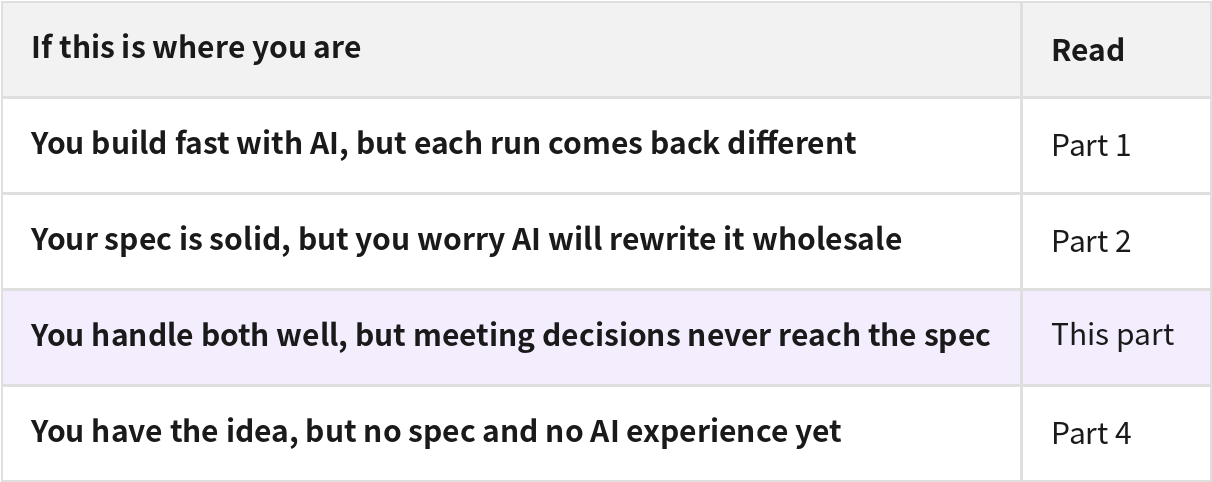
This case study series has four parts, one for each situation. Start with the one that matches where you are right now.
The meeting in this case
We're building "BookNearby," a reservation management service for owners running a shop alone.
To prevent no-shows, it collects a deposit upfront when a customer books.
Yesterday, there was a meeting to set that deposit policy.
Together with two shop owners, we settled the base amount and the application rules, and four decisions came out of it —
from raising the base amount from $20 to $30, to flagging bookings for the operator when payment hasn't gone through after two hours.
Step 1. Connect the meeting notes to the project
The meeting notes are written the way they always are: meeting purpose, discussion, decisions, follow-ups. No special template.
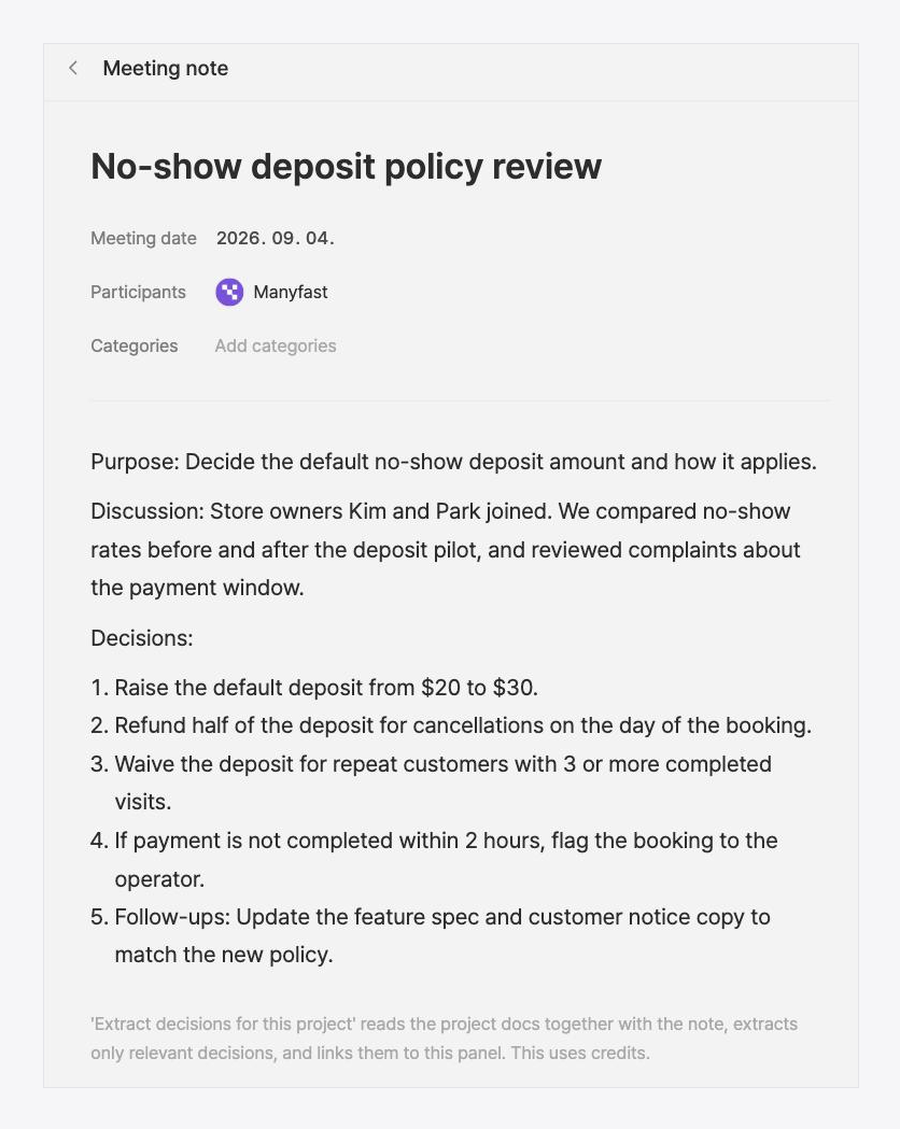
One thing is different. Instead of leaving these notes in Notion as usual, they went inside the Manyfast project.
That lets Manny read the meeting notes and the planning documents together.
Applying content from meeting notes directly to planning documents is available from the Team plan.
Step 2. Only the decisions become cards
Once connected, the four decisions each show up as a card in the meeting panel. The back-and-forth is left out — only the decisions.
Each card already shows where the fix goes. On the "raise the default deposit from $20 to $30" card, it's spelled out down to the exact sentence that changes in the deposit payment status section of the feature specification.
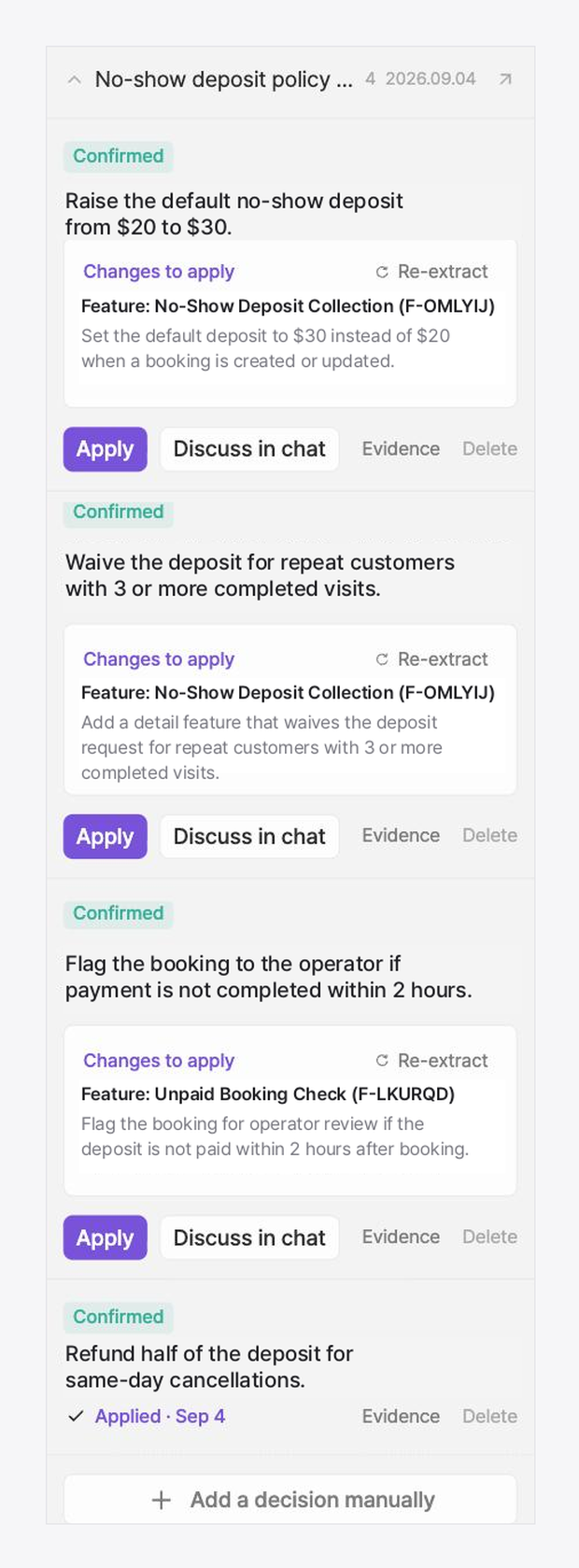
The list of things to fix that you used to rebuild from your notebook after every meeting is already built here.
Step 3. Press apply, and the sentence that changes is highlighted
On the refund card, I pressed "apply to the planning doc." The feature specification opens with only the part that would change highlighted.
"Refund 50% of the booking's deposit for same-day cancellations." is highlighted, with reject and approve buttons above it.
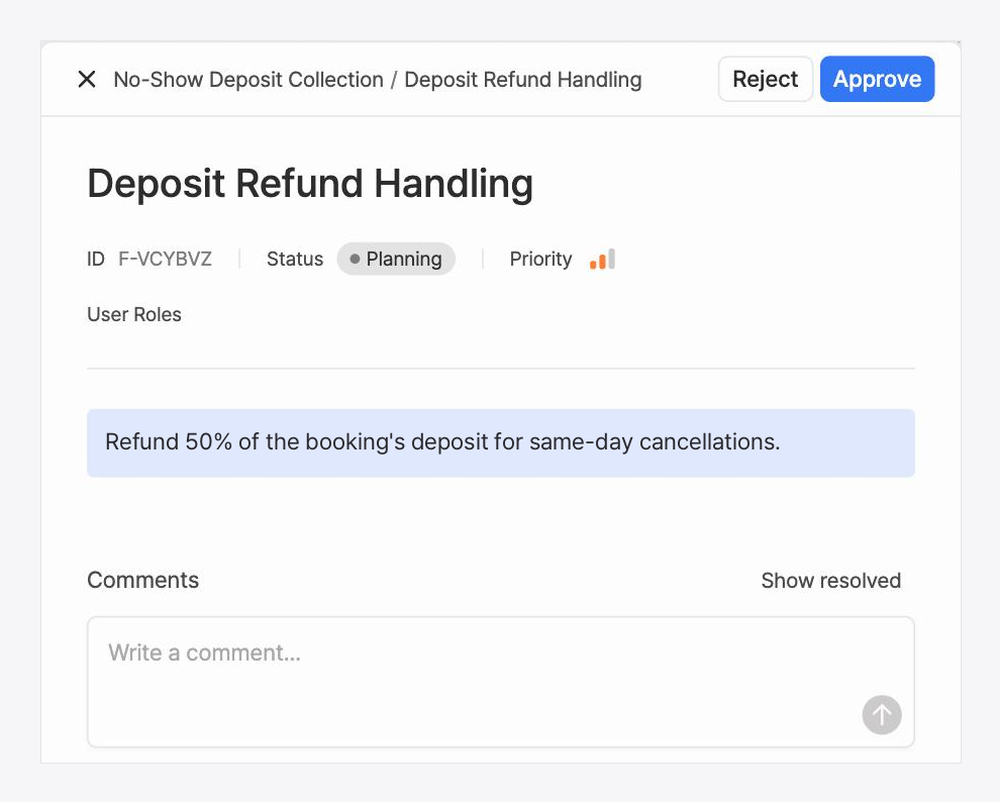
Whether it gets applied is still my call. And a teammate who wasn't in the meeting can see, in plain sentences, what changed and why.
This is the document the developer opens next. No more pinging the chat to ask how much the deposit is.
Step 4. Review catches the gaps the meeting never covered
What was decided in the meeting follows along like this. The remaining worry is the gaps that never came up in the meeting at all.
Run a full document review and feedback comes in from six perspectives:
development, business, UX, design, QA, and security. The project currently has 10 warnings to address and 1 light suggestion.
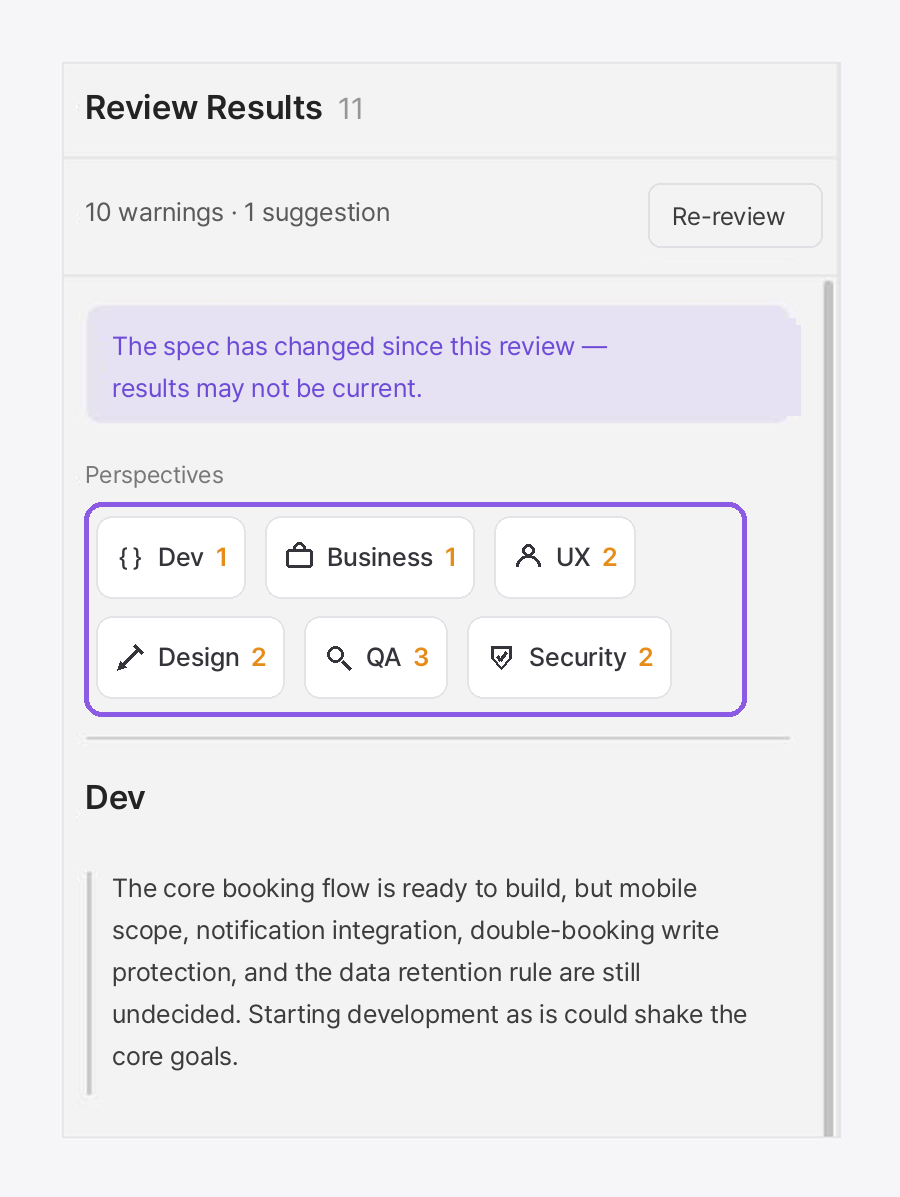
The security perspective flagged that the requirements have no retention policy for personal data, and showed the document sentence it based that on.
Handling is up to you: hold it, or resolve it.
It's like getting a six-role review before development starts.
So what's different after a meeting now?
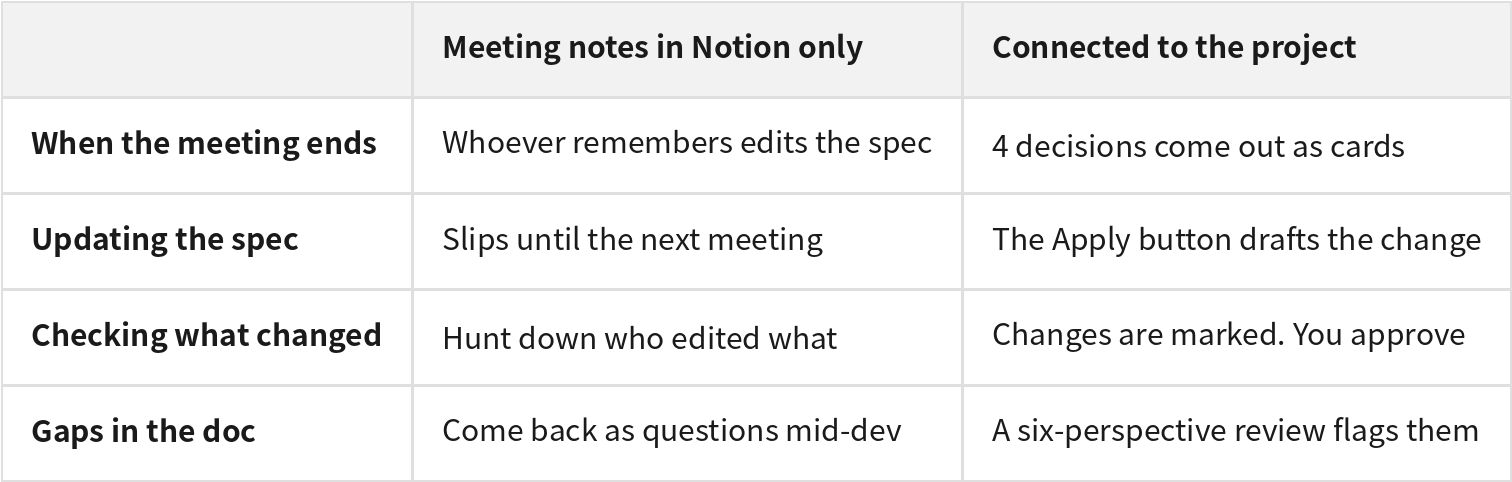
The way you write meeting notes stays the same. What changes is the morning after the meeting.
Even if nobody remembers the decision, the decision has already arrived in the documents.
Connecting the notes is what turned decisions into cards, and "apply to the planning doc" is what carried them into the document.
And the full document review is what flagged the things the meeting never touched.
Wrapping up
Let's bring back that message from three days later.
The developer was working from the old rule because the decision existed only in the meeting notes.
This time, the notes lived inside the Manyfast project,
Manny pulled the four decisions out as cards, and the apply button highlighted the changing sentence in the planning document.
I approved each one myself.
Now the planning document the developer opens is the latest decisions. Nobody builds from last week's document anymore,
and teammates who missed the meeting read the current decisions in the document too.
When the meeting ends with the updates already applied, nobody develops while second-guessing the document.
Try connecting your notes starting from your next meeting.
What you can try today
Connect one recent set of meeting notes to a project.
Pick just one of the extracted decision cards and press "apply to the planning doc."
Check which document, and which section, the changed sentence shows up in.
Meeting notes connection is a Team plan feature. If you're already using Manyfast as a team, you can try it from your very next meeting.